


Every report your finance team produces comes from the same place. The trial balance, the profit and loss account, the board pack: they all trace back to the general ledger.
Most finance leaders don't think about their general ledger until it starts letting them down. Reports take longer to build. Multi-entity groups end up rebuilding consolidated numbers in Excel. The close creeps from a few days into two weeks, and everyone in the finance team feels it.
That's usually the point where general ledger software stops being background infrastructure and becomes something worth researching properly.
This guide explains what general ledger software actually does, how to tell when your current system has stopped keeping up, and how to choose the right software for a growing or multi-entity UK or Irish business, without jumping straight to a full ERP.
What is general ledger software?
General ledger software is the core accounting system that records every financial transaction a business makes, organises them against a chart of accounts, and produces the trial balance, financial statements, and management reports that everything else in finance is built on.
Every invoice raised, bill paid, payroll journal posted and month-end adjustment flows into the general ledger. It sits underneath accounts payable, accounts receivable, budgeting, and reporting, not alongside them.
What it does day to day
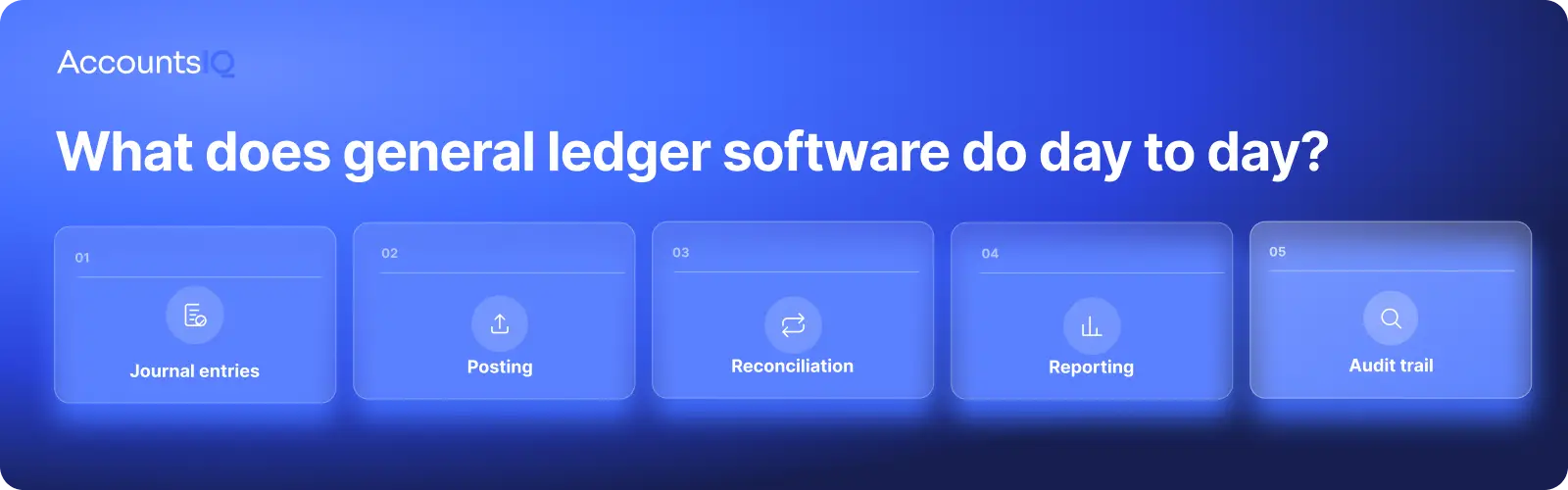
Day to day, a general ledger system is doing four things: posting, reconciling, reporting, and keeping an audit trail.
- Recording journal entries, whether posted manually, set up as recurring entries for accruals and prepayments, or generated automatically from subledgers such as sales and purchases
- Posting each transaction against the right nominal code in the chart of accounts
- Reconciling ledger balances against bank feeds and subledgers so the numbers tie out
- Producing the trial balance, profit and loss and balance sheet finance teams report from
- Keeping a clear audit trail of who posted what, when, and under what approval
If reconciliation itself is the pain point rather than the ledger, it's worth reading our guide to account reconciliation software separately.
How it works, from first transaction to financial statements
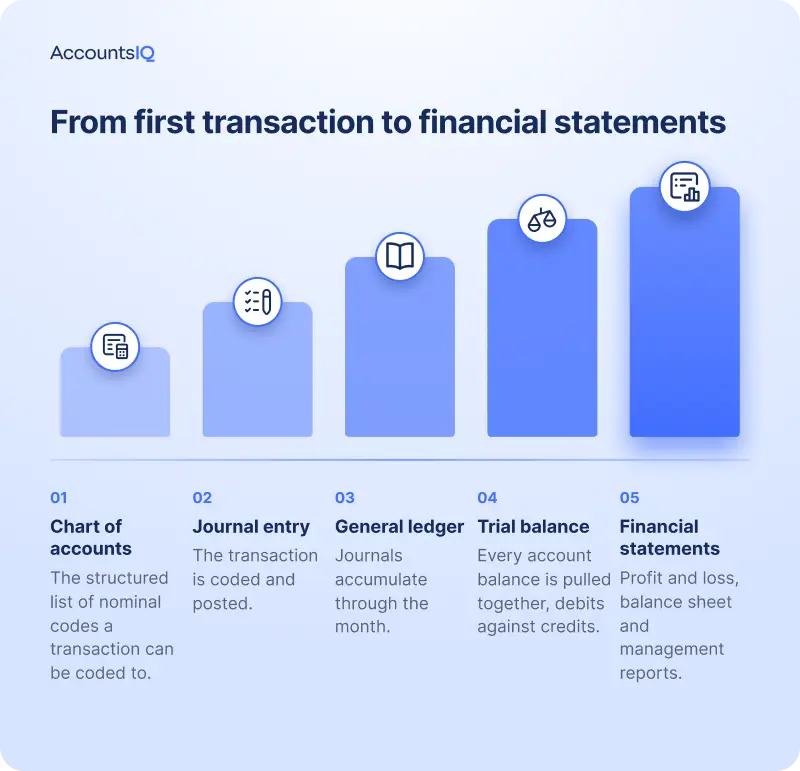
The accounting process follows a clear sequence: transactions are coded, posted to the ledger, checked at period end and used to produce the financial statements.
- Start with the chart of accounts. The chart of accounts is the structured list of nominal codes used to categorise financial activity.
- Code and post each transaction. An invoice, payroll run or bank payment is coded to the relevant account and posted as a journal entry.
- Build the general ledger. Journal entries accumulate in the general ledger throughout the accounting period, creating a record of activity for each account.
- Produce the trial balance. At period end, the trial balance brings every account balance into one list. This allows finance teams to check that total debits and credits balance before reporting.
- Create the financial statements. The trial balance feeds into the profit and loss account and balance sheet. These then form the basis for management reports, board packs and statutory accounts.
For a single-entity business, the process ends there.
For a group, it runs separately for each legal entity before the results are consolidated at group level. That adds another layer to the accounting and financial reporting process and can expose the limits of simpler accounting software.
General ledger software, ERP, or entry-level accounting: where the lines sit
The confusion here is understandable. Xero, AccountsIQ, and NetSuite can all technically produce a general ledger, but they're not solving the same problem.
- Entry-level accounting software is built for straightforward bookkeeping: invoicing, bank feeds, one entity, simple reporting.
- General ledger software for growing businesses adds the structure that starts to matter once reporting gets more complex: multi-entity, multi-currency, deeper analysis dimensions, automated consolidation and approval workflows.
- Full ERP goes further again, bringing finance together with operational areas such as inventory, supply chain or CRM inside one platform.
The table below sets out where each tends to fit.
| Software type | Built for | Where it starts to strain |
|---|---|---|
| Entry-level accounting (Xero, QuickBooks, Sage 50) |
Single-entity businesses with straightforward bookkeeping and reporting | Multi-entity groups, deeper reporting dimensions, automated consolidation |
| General ledger software for growing businesses (AccountsIQ) |
Growing and multi-entity finance teams that need stronger reporting, consolidation and controls without ERP scope | Businesses whose finance needs sit inside a much wider operational platform |
| Full ERP (NetSuite, Sage Intacct, Dynamics 365) |
Businesses that need finance integrated with inventory, supply chain, CRM or manufacturing | Smaller finance teams that only need accounting, reporting and consolidation |
What this means for finance teams: the useful question isn't "which system is best?" but "which layer of structure do we actually need right now?".
Buying more structure than you need adds implementation time and cost without adding value. Buying less than you need just moves the same manual work into next year's project.
If your finance function is the whole project, not one module among several, general ledger software built for growing businesses is usually the better starting point than a full ERP rollout.
💡 If you’re considering a move from Xero, see our AccountsIQ vs Xero comparison. Or, if you’re moving on from QuickBooks, read AccountsIQ vs QuickBooks to see how the two platforms compare.
Signs you've outgrown Sage 50, Xero, or QuickBooks
The signs are rarely dramatic. They tend to show up in the small, repeated frustrations of a finance team's month.
- Financial consolidation still happens in spreadsheets, with figures copied out of each entity's accounts and matched by hand
- Month-end close keeps slipping, and closing in good time now feels like the exception rather than the rule
- Reports by entity, department, project or region need rebuilding manually rather than pulling straight from the system
- Approvals happen over email rather than inside the accounting system, so there's no single audit trail
- Adding a new entity, currency or location feels like a project rather than a configuration change
- Transaction volumes are climbing but the system isn't scaling with them
None of this is unusual. Research from finance operations platform Ledge found that half of finance teams already take more than five business days to close their books, and 94% still rely on Excel somewhere in the process, most often to reconcile figures the accounting system can't pull together on its own.
The UK's mid-market is growing steadily too. BDO's research puts UK mid-market revenue contribution at more than 40% of the private sector, up 4.4% year on year, which means more finance teams are hitting these limits earlier than they expect.
💡 If two or three of the points above sound familiar, it's worth treating them as a system problem rather than a workload problem. Book a demo to see how AccountsIQ can support your reporting, consolidation, and control as your business grows.
How to choose the right general ledger software
Once you've accepted the current system has stopped fitting, the harder part is choosing what replaces it. Feature lists all look similar on a vendor's website. What actually matters is narrower than that.
The features to look for
- Automated journal entries, reconciliation, and consolidation, so month-end doesn't depend on manual exports
- Multi-currency and multi-entity support, including intercompany eliminations and currency translation
- Reporting depth: by entity, department, project or location, not just company-wide
- Open integrations with the rest of your finance stack, including expenses, payroll, CRM, and banking
- Audit trail and approval controls that sit with the transaction, not in a separate system
Questions to ask before you sign
- Can you show how a multi-entity consolidation would run in our structure, not a generic demo?
- How are intercompany balances eliminated, and is that automatic or manual?
- What does implementation actually involve, and who does the data migration?
- Which integrations are native, and which need a third party?
- How does pricing change as we add entities, users or transaction volume?
- What happens to support once we're live, not just during onboarding?
How multi-entity consolidation really works
This is the part most buying guides skip, and it's usually the reason a growing business moves off entry-level software in the first place.
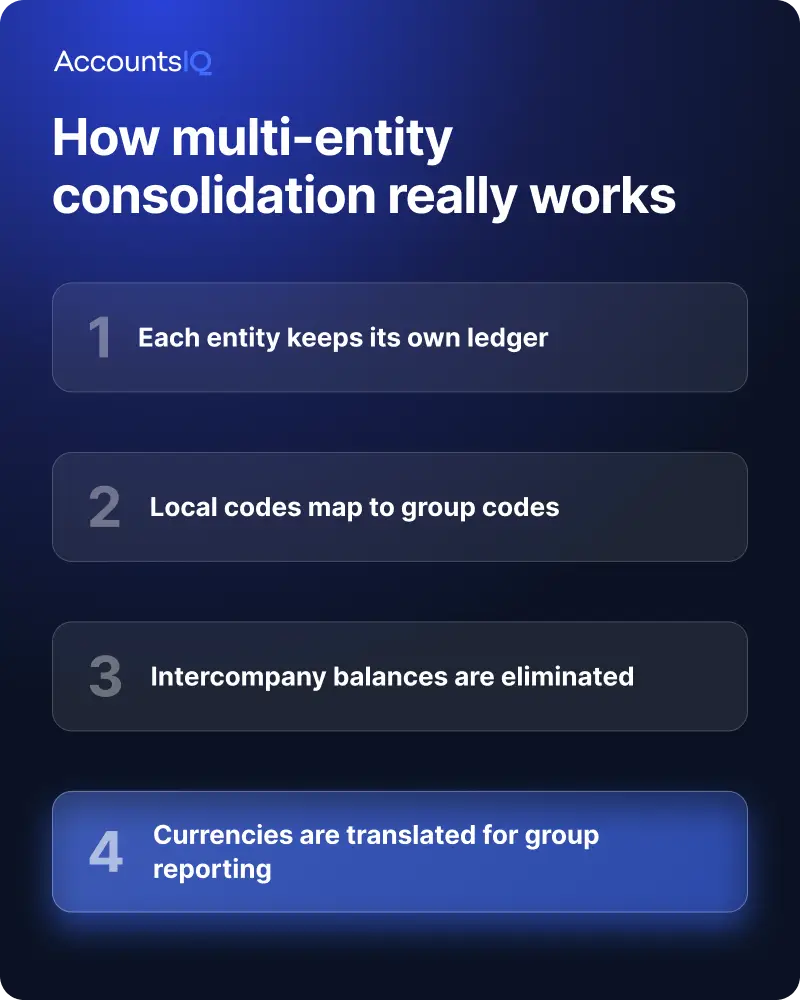
Consolidation runs through four steps, whether it happens in software or in a spreadsheet:
- Each entity keeps its own ledger. Subsidiaries post transactions locally, using their own chart of accounts and local coding.
- Local codes map to group codes. Subsidiary-level ledger codes link to a common set of group summary codes, so local flexibility doesn't break group-level reporting.
- Intercompany balances are eliminated. Loans, management fees or sales between group entities need to be matched and removed, so the consolidated numbers reflect only transactions with the outside world. This is where manual consolidation tends to go wrong, because every elimination needs a matching entry in each entity's books that ties out to zero.
- Currencies are translated for group reporting. Balance sheet items translate at the closing rate, profit and loss items at the average rate for the period, so results from different currencies roll up into one group figure.
Done manually, this is where finance teams lose the most time, and where the most easily avoidable errors creep in.
Done in software built for it, steps two to four happen automatically each time a period closes.
How much does general ledger software cost?
General ledger software is usually priced in one of three ways, or some mix of the three:
- Per user, where cost scales with the number of people who need access
- Per entity, which matters for group structures adding subsidiaries
- Module or tier based, where reporting, consolidation or approval workflows sit in higher tiers
But the licence fee is only part of the picture. Implementation, data migration, training, and ongoing support all add to the total cost, and vendors don't always volunteer that upfront.
It's also worth weighing that cost against the alternative. A full ERP project typically brings other departments into scope alongside finance, which tends to extend both the timeline and the budget well beyond what finance alone would need. A finance-first general ledger system is usually a smaller, more contained investment, and a faster one to get live.
Trade-offs worth naming honestly:
- More structure means more implementation time upfront, but less manual work every month afterwards
- Per-entity pricing scales cleanly as you grow but can look more expensive on paper than a flat per-user quote
- ERP-level systems solve more problems at once, but only if you actually have those other problems to solve
Ask any vendor to walk through total cost over three years, not just the first invoice, including what happens to pricing as you add entities or users.
The best general ledger software, by business size
| Business size | Best fit | Why |
|---|---|---|
| Small business, single entity | Xero or QuickBooks | Straightforward bookkeeping, invoicing and bank feeds without extra structure |
| Growing or multi-entity mid-market | AccountsIQ | Built for the gap between starter software and full ERP: automated consolidation, multi-currency and multi-entity reporting |
| Complex or global enterprise | Sage Intacct, NetSuite | Advanced modules, global consolidation and ERP-level scope for larger, more complex operations |
There's no universally best system. A five-person single-entity business and a group with subsidiaries in three countries are solving different problems, even if both start their search with the same phrase: general ledger software. For a closer look at how the ledger itself works, see AccountsIQ's general ledger platform.
Switching general ledger software: what migration looks like
Migration feels daunting mainly because it's unfamiliar, not because it's inherently difficult. A realistic timeline runs in four stages:
- Scoping and data audit (1 to 2 weeks): confirming what data moves, what gets archived, and what the new chart of accounts needs to look like
- Chart of accounts and structure setup (2 to 4 weeks): mapping old codes to new ones and building the reporting dimensions you actually need
- Parallel running and testing (2 to 3 weeks): running the new system alongside the old one to check outputs match before cutover
- Go live and embedding (ongoing): the first few closes in the new system, usually with vendor support, before it becomes routine
Most growing businesses move over within six to twelve weeks, depending on entity count and how much historical data needs to carry across. The team's time, not the vendor's, is usually the bigger constraint, so plan for the internal hours as much as the project timeline.
Frequently asked questions about general ledger software
Is a general ledger the same as accounting software?
Not quite. The general ledger is one part of an accounting system: the core ledger that records and organises every transaction. Accounting software is the wider platform built around it, including invoicing, bank feeds, reporting and, in more advanced systems, consolidation and approval workflows.
What is the difference between the general ledger and the trial balance?
The general ledger holds every transaction, organised by account. The trial balance is a snapshot pulled from the ledger at a point in time, listing every account balance to confirm debits equal credits before financial statements are produced.
Can general ledger software handle multiple currencies and multiple entities?
Yes, provided it's built for it. Entry-level accounting software often handles a single currency and entity well but strains beyond that. General ledger software designed for growing businesses supports multiple entities, local coding mapped to group codes, and currency translation for consolidated reporting.
How long does it take to implement general ledger software?
Most mid-market implementations run six to twelve weeks from scoping to go-live, depending on the number of entities, the state of existing data and how much of the chart of accounts needs rebuilding. That's considerably shorter than the typical timeline for a full ERP rollout.