

.webp)
Choosing accounting software can feel like a tidy, practical decision.
Until month-end slows down.
Until reporting lives in spreadsheets again.
Until approvals sit in inboxes.
Until your finance team spends more time fixing the process than improving it.
And the drag is real: APQC benchmarking found that the median monthly close takes 6.4 calendar days, while bottom-quartile organisations need 10+ days to close the books.
That’s when the real cost of the wrong system starts to show.
The right accounting software should help your finance team work faster, report with confidence and scale without creating more manual work. The wrong one can quietly add friction across every close, consolidation, audit request and board pack.
This guide explains how to choose accounting software that works for your business today and still supports you as your finance operations become more complex.
How to choose accounting software: the quick answer
To choose accounting software, start by mapping your current finance pain points. Then assess each system against scalability, reporting, automation, integrations, controls, implementation support and total cost of ownership.
A good accounting system should help you:
- Reduce manual finance work
- Improve reporting visibility
- Support month-end close
- Connect with your wider finance tech stack
- Manage growth across teams, entities or locations
- Give finance leaders reliable data without constant spreadsheet work
The right choice is the system that fits how your finance team works, and how that work will change as the business grows.
What is accounting software?
Accounting software is a system businesses use to manage financial processes such as bookkeeping, general ledger accounting, accounts payable, accounts receivable, bank reconciliation, reporting, budgeting and financial control.
For smaller businesses, accounting software may mainly support invoicing, basic bookkeeping and tax records.
For growing and mid-sized organisations, the requirements usually become more demanding. Finance teams may need multi-entity accounting, consolidation, approval workflows, financial dashboards, integrations, audit trails and stronger controls.
That is where the buying decision becomes more strategic.
You’re choosing the system your finance team will rely on to close the month, report performance, manage risk, and support growth.
Basic accounting software vs advanced accounting software
One of the biggest decisions is whether your business needs basic accounting software or a more advanced financial management platform.
Basic software works well for invoicing, bookkeeping, bank reconciliation and simple tax records. But as finance needs grow, teams often need stronger reporting, consolidation, approvals, and visibility.
That’s where basic systems can start to show their limits.
Deloitte and IMA found that spreadsheets are still the most common performance modelling tool, used by 30% of finance and accounting professionals, while 54% said they either don’t have reporting available or need better cost and profitability reporting.
Here’s a simple way to compare the two.
The decision is whether your finance process is simple enough for basic bookkeeping software or complex enough to need a more scalable financial management platform.
Signs you may be outgrowing your current accounting software
Businesses usually regret accounting software decisions when they choose for today’s needs only.
A system that works at go-live may start to struggle when reporting becomes more detailed, transaction volumes rise, approvals get more complex, or the business adds new entities.
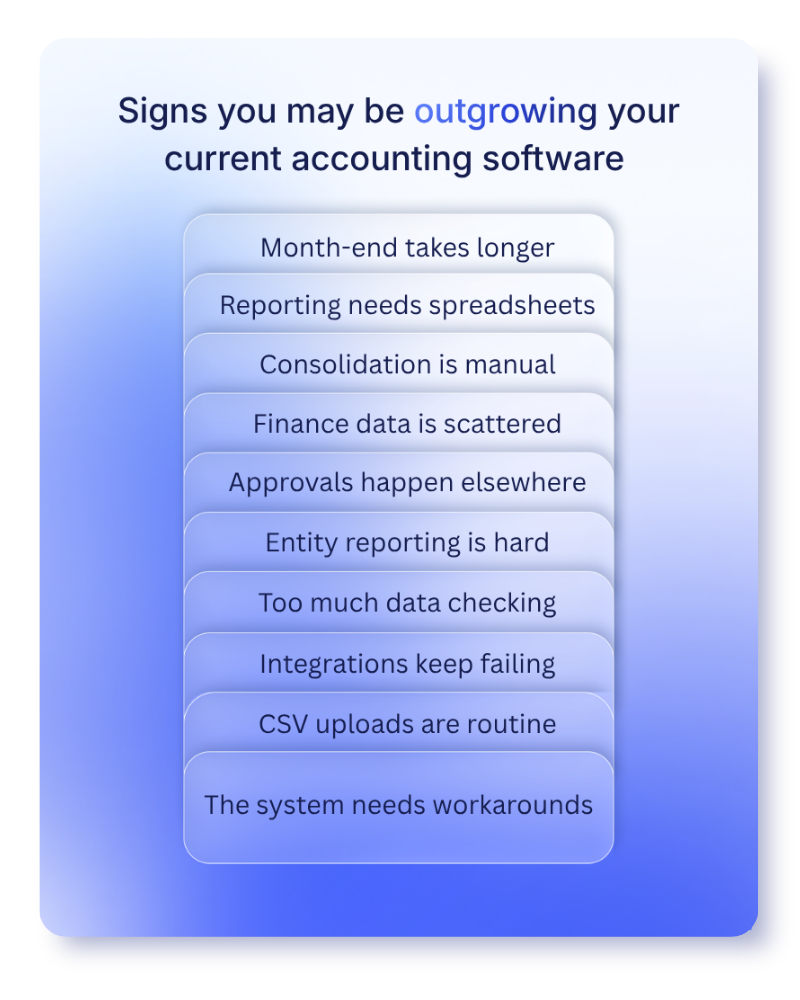
You may need to reassess your current system if:
- Month-end close keeps taking longer
- Management reporting depends on spreadsheet exports
- Consolidation is manual or time-consuming
- Finance data is split across disconnected tools
- Approvals happen outside the accounting system
- You cannot easily report by entity, department, project or location
- Your team spends too much time checking, rekeying or correcting data
- Integrations are unreliable or rely heavily on CSV uploads
- Your finance team inherited the system and has worked around it ever since
None of these problems looks dramatic on its own. Together, they slow finance down and make it harder to trust the numbers.
This is why choosing accounting software needs a 12-month lens, not just a go-live lens.
Ask: will this still work when transaction volumes increase, reporting gets more detailed, the board wants better insight, or the business adds another entity?
How to choose the right accounting software for your business

1. Start with your finance pain points
Before comparing vendors, look at where your finance process breaks down.
This step matters because software demos can make every system look capable. Your internal process map shows what you actually need.
Ask your finance team:
- What slows down month-end close?
- Which tasks are still manual?
- Where do errors or delays usually happen?
- Which reports take the longest to prepare?
- Which spreadsheets are essential to daily finance operations?
- Where are approvals happening outside the system?
- Which data needs to be rekeyed between tools?
- What would break if the business doubled in size?
The goal is to remove the manual steps, reporting gaps, and control issues that create extra work.
💡 Pro tip: Build a list of “must fix” problems before you attend vendor demos. It keeps the conversation focused on business outcomes, not feature lists.
2. Prioritise reporting and visibility
Reporting is often where accounting software regret starts.
At first, basic reports may be enough. Then the business grows. The board wants better insight. Department heads want budget visibility. Finance needs to report across entities, funds, projects, regions or cost centres.
If the system cannot support that, spreadsheets fill the gap.
This matters because reporting trust is already a challenge for many finance teams. Gartner research found that 54% of respondents still face issues producing trustworthy reports for stakeholders.
When choosing the right accounting software, check whether you can:
- Build management reports without heavy manual work
- Report by entity, department, location, project or other dimensions
- Drill into transactions from summary reports
- Access live or up-to-date financial data
- Build dashboards for finance leaders and budget holders
- Create board packs more efficiently
- Support multi-entity or group reporting if needed
AccountsIQ brings reporting, budgeting, approvals, integrations, and consolidation into one cloud accounting platform, helping finance teams reduce spreadsheet work and give the business clearer financial insight.
3. Check whether the software can scale
A common mistake when choosing accounting software is buying for headcount alone.
A 30-person business with multiple entities, complex reporting and international operations may need more advanced finance software than a 150-person single-entity company with simple reporting needs.
Scalability depends on factors such as:
- Number of entities
- Number of currencies
- Transaction volume
- Reporting complexity
- Approval workflows
- Industry requirements
- Growth plans
This is especially important if you are searching for how to choose accounting software for a small business.
A simple tool may be right for a small business with basic bookkeeping needs. But if the business is growing quickly, adding entities or relying on more advanced management reporting, it may be better to choose accounting software that can scale with you.
Ask vendors:
- Can the system support multiple entities, locations, or subsidiaries?
- How does consolidation work?
- Can it handle multiple currencies?
- Can reporting structures change as the business grows?
- Can approval workflows vary by department, entity or spend type?
- What happens if the business adds new subsidiaries, regions or reporting requirements?
For organisations managing this level of complexity, AccountsIQ is designed to support multi-entity accounting, multi-currency reporting, consolidation, and increasing transaction volumes.
This matters because each entity may still need to manage its own books, while group finance needs a clear view across the whole organisation. Without that structure, finance teams often end up relying on manual consolidation, disconnected spreadsheets, and extra checks at month-end.
4. Assess automation, controls, and integrations
Automation should reduce repetitive work without weakening finance control.
Look for automation in areas like:
- Purchase invoice processing
- Approval workflows
- Bank reconciliation
- Recurring journals
- Intercompany processes
- Reporting packs
- Consolidation
- Alerts and exceptions
But don’t stop at “does it automate this?”
Ask:
- What triggers the workflow?
- Can finance control the approval rules?
- Can exceptions be reviewed easily?
- Is there an audit trail?
- Can users override steps, and who can approve that?
Integrations need the same level of scrutiny.
Accounting software should connect with the rest of the finance stack, such as banking, payroll, expenses, CRM, procurement, business intelligence, or sector-specific systems. If those connections are weak, finance teams often end up exporting data, rekeying information or rebuilding reports in spreadsheets.
For growing finance teams, connection matters. AccountsIQ brings core accounting, approvals, reporting, consolidation, and integrations together in one cloud accounting system, helping reduce duplicated work and giving finance a clearer view across connected processes.
The key test is simple: does the software help data move cleanly through finance, with the right controls in place? Or does the team still need manual workarounds to make the process function?
5. Look beyond licence cost
Cost matters. But the licence cost is only part of the decision.
The real cost of accounting software includes:
- Subscription or licence fees
- Implementation costs
- Data migration
- Training
- Internal finance time
- Support costs
- Integration costs
- Reporting workarounds
- Future upgrade or migration costs
A cheaper system can become expensive if your team spends hours every month building reports manually, fixing imports or reconciling data between systems.
A more useful question is: what will this system cost us to run properly over the next three years?
That includes both the vendor invoice and the finance team’s time.
6. Take implementation and support seriously
Even the right accounting software can fall short if implementation is rushed, under-scoped or treated as a basic setup task.
This is the stage where reporting structures, workflows, permissions, data migration, and consolidation rules are shaped. Get those wrong, and finance can end up carrying the same problems into a new system.
Ask each vendor:
- What does onboarding include?
- Who manages the implementation?
- How are reporting structures designed?
- What data migration support is provided?
- What training is available for finance users and wider teams?
- What happens after go-live?
- Is support handled by people who understand finance processes?
- How are complex areas, such as consolidation or multi-currency reporting, tested before launch?
For multi-entity businesses, implementation deserves extra attention. The system needs to reflect how the group actually operates: which entities report separately, how they roll up, how charts of accounts are mapped, how intercompany activity is handled, and how group reporting will work.
Finance teams should also check what training, help resources, and ongoing support are available once the system is live, not just during implementation. AccountsIQ customers have access to support, self-service resources, and training through the AIQ Academy and Help Hub.
Questions to ask in an accounting software demo
A demo should not be a product tour. It should be a test of whether the software can handle your finance day-to-day reality.
Bring real examples. A sample report, approval route, chart of accounts, or entity structure will tell you more than a generic scenario.
Ask:
- Can you show us how month-end close works in the system?
- Can you build a management report using our reporting structure?
- How does the system handle multi-entity consolidation?
- What happens when an approval is delayed or rejected?
- Can we drill from a board-level report into the underlying transaction?
- Which integrations are standard, and which require extra work?
- How are user permissions managed?
- What audit trail is available?
- What does implementation look like for a business like ours?
- What support do we get after go-live?
The goal is to see how the system handles your actual finance process, not just the cleanest version of it.
Is AccountsIQ the right cloud accounting platform for your finance team?
By this stage, the question should not be “which accounting software has the most features?” It should be “which system fits the way your finance team actually works?”
AccountsIQ is designed for growing and mid-market finance teams that need more than basic bookkeeping. It supports organisations managing multi-entity structures, multi-currency reporting, consolidation, approvals, integrations, and more detailed financial reporting.
It may be a good fit if your finance team is:
- Managing multiple entities, currencies, or reporting lines
- Spending too much time building reports in spreadsheets
- Handling consolidation manually
- Looking for clearer board reporting and management accounts
- Trying to connect finance processes across approvals, reporting, and integrations
- Preparing for growth without adding unnecessary manual work
💡 Want to see whether AccountsIQ is the right fit? Book a demo to explore how it could support your finance team’s reporting, consolidation, and day-to-day processes.
FAQs: How to choose accounting software
What are the main factors to consider when choosing accounting software?
The main factors to consider when choosing accounting software are:
- Business complexity
- Reporting needs
- Automation
- Integrations
- User permissions
- Audit trails
- Implementation support
- Scalability
- Total cost of ownership
For growing businesses, the most important question is whether the system can support the way finance will operate over the next 12-36 months.
How do I choose the right accounting software for my business?
To choose the right accounting software for your business, define your must-have finance requirements before speaking to vendors.
Include reporting, approval workflows, entity structure, integrations, user access, automation and growth plans. Then test shortlisted systems using real finance scenarios, such as a month-end close, board report, approval workflow or consolidation process.
How do I choose accounting software for a small business?
For a small business, choose accounting software that covers essential bookkeeping, invoicing, bank reconciliation, tax records, reporting and ease of use.
If the business is growing quickly, also consider whether the software can support more users, better reporting, integrations and future complexity.
Is choosing cloud accounting software worth it?
Choosing cloud accounting software can be worth it for businesses that need flexible access, better collaboration, regular updates and easier integration with other tools.
The value depends on whether the platform also meets your reporting, control, automation and scalability needs. Cloud alone is not enough. The software still needs to fit your finance process.
What are the red flags when choosing accounting software?
Red flags include limited reporting, heavy CSV reliance, weak integration support, poor user permissions, unclear implementation timelines, limited support, manual consolidation and a system that cannot adapt as your business grows.
A good vendor should be able to explain how the software handles your real finance scenarios, not just show a list of features.
When should a business move from basic accounting software to a more advanced platform?
A business should consider moving from basic accounting software to a more advanced platform when finance processes become too manual, reporting takes too long, consolidation becomes difficult, or the business needs stronger controls across entities, currencies, teams or locations.
Outgrowing your current accounting software?
See how AccountsIQ helps growing finance teams improve reporting, reduce manual work and manage more complex finance operations in one cloud accounting platform.