

.webp)
Every finance team eventually asks the same question: which tasks should move to automation, and which still need a person to make the call.
Get this wrong in either direction and you either keep your team buried in manual work, or hand judgement calls to a system that isn't built to make them.
This guide sets out what accounting automation actually covers, which finance tasks are worth automating first, which to keep manual and how to choose software that fits a growing, multi-entity finance team.
What accounting automation actually means
Accounting automation is the use of software to carry out finance tasks that would otherwise need manual, repetitive input: entering data, matching transactions, generating reports, and routing approvals.
Most articles blur an important distinction here. Two different things sit under the "automation" banner:
- Rules-based automation follows fixed instructions. If a transaction matches a set of conditions, the software takes a defined action, every time, the same way. No judgement involved.
- Assistive AI works differently. It recognises patterns in your data and suggests a category, a match or a flag for review, but a person still confirms the outcome.
The difference matters because it decides where automation genuinely reduces work, and where it just moves the same decision to a different screen. Rules-based automation is proven and predictable.
Assistive AI can handle messier, less structured data, but it needs a person in the loop.
The finance tasks worth automating first
The highest-return automation targets share two traits: high transaction volume and rules-based decision logic.
| When | What to automate |
|---|---|
| Daily |
|
| Month-end |
|
| Reporting and VAT |
|
Each of these follows the same shape: a repeatable input, a defined rule and a predictable output. That's where automation earns its keep.
The tasks you shouldn't automate (and why)
Treating automation as a blanket goal creates its own risk. Some decisions genuinely need a person.
Judgement calls that should stay with people:
- Accruals and estimates that rely on professional judgement
- Complex, non-recurring transactions with no clear precedent
- Anything where the correct answer depends on context a system can't see
There's also a structural risk worth naming. Automating a process that's already broken doesn't fix it; it runs the same mistakes faster and at greater scale.
Gartner predicts that over 40% of agentic AI projects will be cancelled by the end of 2027, citing escalating costs, unclear business value, and inadequate risk controls.
A recurring theme behind failures like these is automation applied to work that needed redesigning first, not just speeding up. If a manual process is inconsistent or poorly understood, sort that out before you automate it.
What your team gains, in practice
For a mid-market or multi-entity finance team, the return on accounting automation looks like this:
- Time back for the team, redirected from data entry to analysis
- Fewer manual errors in postings, matching and reconciliations
- A clean, timestamped audit trail behind every automated action
- Real-time visibility into cash, spend and entity-level performance
- Room to absorb higher transaction volume, or add entities, without a matching rise in headcount
That last point compounds as a business scales.
A team running the same manual processes across five entities instead of one doesn't just do five times the work; reconciling between entities adds its own overhead on top.
And independent benchmarking backs this up. APQC's research on streamlining the annual close found top-performing organisations complete their close in 10 days or less, against a median of 18 days and 35 days for slower performers.
That gap tends to widen sharply once multiple entities are involved, which is exactly where automation earns its keep.
Where accounting automation goes wrong

Automation projects tend to fail for a small number of recurring reasons.
| What goes wrong | What it looks like | How to avoid it |
|---|---|---|
| Poor data quality | Automated rules apply consistently to inconsistent, duplicated or badly coded data | Clean and standardise your chart of accounts and supplier data before automating |
| Weak change management | Staff route around the new process because they weren't trained on it or don't trust it | Involve the team that runs the process in designing the automated version |
| Over-automation | Judgement-heavy tasks get forced into rigid rules, producing confident but wrong answers | Keep a human checkpoint on anything involving estimation or one-off complexity |
| Tool sprawl | Automation gets bolted on tool by tool, creating disconnected point solutions | Prioritise a platform with native integrations over a growing stack of add-ons |
None of these are reasons to avoid automation. They're reasons to sequence it properly, covered in the step-by-step section below.
What's doing the work: rules, RPA, and assistive AI

In practice, automation inside a finance system runs on a handful of mechanisms:
- Triggers and rules: a defined event, such as an invoice arriving or a threshold being crossed, sets off a defined action.
- Robotic process automation (RPA): software that replicates repetitive manual steps across systems, useful where full integration isn't available.
- Data capture and OCR: optical character recognition pulls structured data out of invoices, receipts and statements.
- Integrations and APIs: systems exchange data directly, removing manual export and re-entry.
- AI-assisted review: pattern recognition flags anomalies or suggests coding, with a person making the final call.
Most finance systems combine several of these mechanisms.
Automation and Making Tax Digital: what UK teams need to know
Making Tax Digital (MTD) for VAT is already mandatory for VAT-registered businesses in the UK, requiring digital records and VAT returns submitted through compatible software.
An automated, integrated accounting system supports this by design: records stay digital from the point of entry, and the audit trail behind each figure is already in place if HMRC asks.
MTD for Income Tax Self Assessment is a separate, later phase.
From April 2026, it applies to sole traders and landlords with qualifying income above £50,000, who must keep digital records and submit quarterly updates.
It targets Income Tax Self Assessment, so it doesn't directly mandate most mid-market companies. It's still worth checking whether it touches your specific structure, particularly for owner-managed businesses with property income near that threshold.
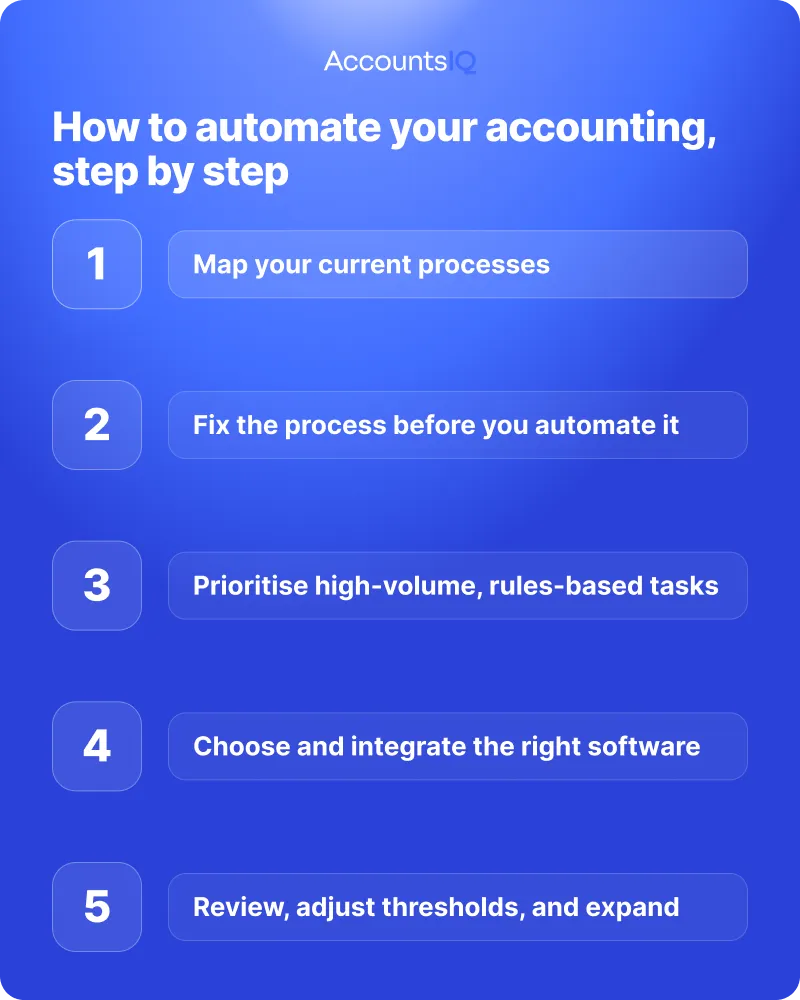
How to automate your accounting, step by step
A controller can realistically start this sequence within a quarter.
Map your current processes
Document what actually happens today: who's involved, how long each step takes and where the same task gets redone or corrected.
Fix the process before you automate it
Resolve inconsistencies, missing approvals, or unclear ownership first. Automating a process that's still broken embeds the problem more deeply.
Prioritise high-volume, rules-based tasks
Start where the return is highest and the decision logic is clearest. Bank reconciliation, recurring journals, and AP processing are common starting points.
Choose and integrate the right software
Pick a platform that connects properly to your existing systems instead of running alongside them as a separate tool.
Integration quality decides whether automation actually removes manual work or simply adds a new manual step.
Review, adjust thresholds, and expand
Once the first automations are live, monitor exceptions and error rates. Adjust rules and thresholds based on what you see, then expand into the next set of tasks.
How to choose accounting automation software
For a growing finance team, the selection criteria that matter go beyond a feature list:
- Integrations and an open API, so the system connects to your banking, payroll, CRM and expense tools without manual workarounds
- Multi-entity and multi-currency support, built into the core platform
- Consolidation and close features, since manual consolidation is one of the biggest time costs for a multi-entity group
- Controls and audit trail, with clear visibility into who approved what, and when
- Security standards, including recognised certifications such as ISO 27001 and SOC 2
- Genuine UK support, from a team that understands local VAT, MTD, and reporting requirements first-hand
The right platform should do both jobs at once: help you work out what's actually worth automating, and be capable of running it at scale once you've decided.
Automation for multi-entity and mid-market finance teams
The hardest automation problems in finance show up specifically at multi-entity scale:
- Intercompany transactions that need eliminating
- Multiple currencies that need consolidating into one reporting currency
- A group close that has to run to a consistent timetable across every entity
AccountsIQ is built around this exact problem.
Automated consolidation handles intercompany eliminations and multi-currency translation without a separate spreadsheet exercise each month, and the same rules-based automation covering bank feeds, AP and reconciliations at entity level rolls up directly into group reporting.
For a finance team managing five, ten or thirty entities, that consolidation layer is usually where the real time saving sits, more than any single automated task on its own.
Merchant bank Salamanca Group, which manages around 80 entities, went from two people spending a week each on manual consolidation to producing the same reports in around five minutes a month after moving to AccountsIQ.
💡 Book a demo to see how AccountsIQ handles automation, consolidation, and reporting across multiple entities and currencies.
Frequently asked questions
Will accounting automation replace accountants?
No. Automation removes repetitive, rules-based work, but judgement, estimates and complex one-off transactions still need an accountant's review.
Gartner predicts that by 2026, 90% of finance functions will deploy at least one AI-enabled technology, but fewer than 10% expect it to reduce headcount. The role shifts from manual processing toward review, analysis, and decision support.
How much of accounting can actually be automated?
Most high-volume, repeatable tasks, like:
- Standard journals
Judgement-based work such as estimates and non-standard transactions generally stays manual.
Is automated accounting accurate and secure?
Rules-based automation is typically more consistent than manual entry, since it applies the same logic every time.
Security depends on the platform: look for recognised certifications such as ISO 27001 and SOC 2, and a clear audit trail on every automated action.
What's the difference between accounting automation and AI accounting?
Accounting automation usually means rules-based software following fixed instructions.
AI accounting adds pattern recognition, generating suggestions such as a likely category or a flagged anomaly, with a person confirming the outcome.
Does accounting automation help with Making Tax Digital and VAT?
Yes. Digital, integrated records support the requirements of MTD for VAT and give you a ready audit trail.
MTD for Income Tax Self Assessment is a separate, later-phased requirement that applies mainly to sole traders and landlords above the income threshold. It doesn't apply to most mid-market companies directly.