


Accounting software usually gets questioned when the work around it starts to grow.
Reports need extra checks. Approvals happen outside the system. Spreadsheets become part of the month-end process. That’s often when finance teams start looking at cloud accounting software.
Eurostat found that, among EU enterprises buying cloud services in 2023, 51.6% purchased finance or accounting software applications. But cloud accounting covers a wide range. For one business, it might mean simple online bookkeeping. For another, it might mean a cloud financial management system that supports reporting, consolidation, approvals, and multi-entity control.
This guide explains what cloud accounting software is, how it works, the main types available, and how to choose the right system for your finance team.
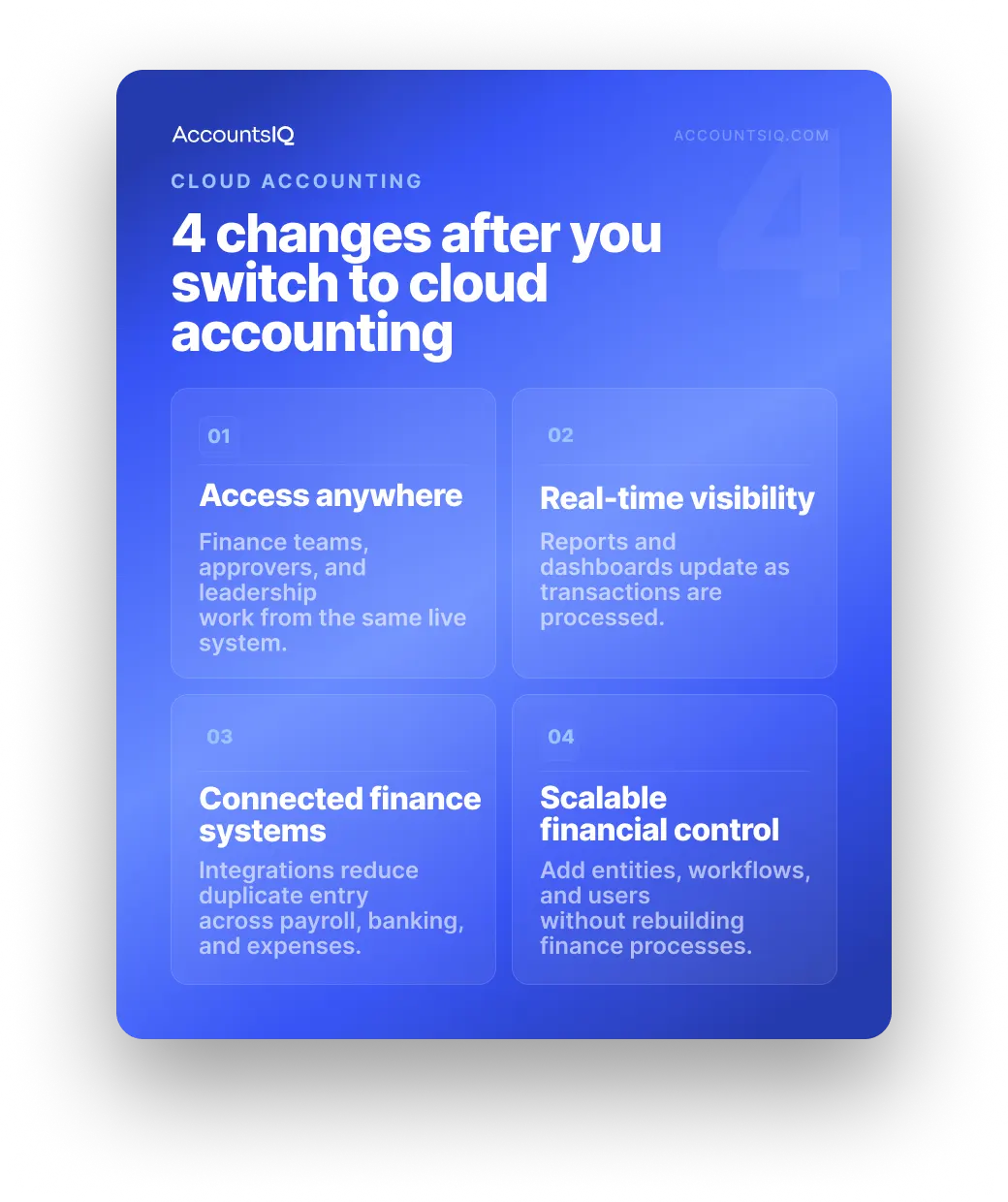
What is cloud accounting software?
Cloud accounting software is an online system for managing a business’s finance processes through the internet, instead of through software installed on a local computer or server.
Finance data is stored in the cloud and accessed by authorised users through a browser or app. This gives finance teams one shared system for managing accounting tasks, reporting, approvals and financial control.
In practice, cloud accounting software can include:
- VAT and tax reporting
- Financial reporting and dashboards
- Audit trails and permissions
- Integrations with payroll, CRM, banking, expenses, and procurement systems
But not every platform does all of this.
Some cloud accounting tools are built for simple bookkeeping. Others are designed for growing and mid-market finance teams that need stronger reporting, controls, consolidation, and visibility across multiple entities.
The right system depends on how complex your finance operation is.
How does cloud accounting work?
Cloud accounting works by storing financial data in an online system, rather than on a local computer or company server. Authorised users log in through a browser or app, enter or import transactions, approve work, and view reports from the same central system.
Most cloud accounting systems follow four basic steps.
1. Financial data is stored in the cloud
Instead of keeping accounting data on one device or internal server, the provider hosts the system online. This allows the software, records, and reports to be accessed by approved users without needing to be installed locally.
Security still depends on the provider’s controls, so finance teams should check areas such as encryption, user permissions, backups, audit trails, and data hosting before choosing a system.
2. Users log in through a browser or app
Finance teams, budget holders, approvers, and advisers can access the system based on their permissions.
Depending on the platform, users may be able to:
- Enter transactions
- Upload or approve invoices
- Reconcile bank activity
- Review dashboards
- Run reports
- Manage budgets
- Check audit trails
This is what makes cloud accounting useful for teams working across different offices, entities, or locations.
3. Transactions and reports update in one place
When data is entered, imported or synced, it updates centrally. That gives finance teams a shared view of the numbers, rather than separate files, exports or spreadsheet versions.
For example:
- A supplier invoice is uploaded
- The right approver is notified
- Finance reviews and posts the transaction
- The relevant reports update
- The audit trail records the activity
The value is fewer disconnected steps between the transaction, the approval, and the report.
4. Integrations connect finance with other systems
Many cloud accounting systems connect with tools used across the business, such as:
- Payroll
- CRM
- Procurement
- Payment systems
Good integrations reduce duplicate data entry and help finance teams spend less time moving information between systems. They also make reporting more reliable because data is less likely to be rekeyed, copied, or rebuilt manually.
What are the main types of cloud accounting software?
Cloud accounting works by storing financial data in an online system, rather than on a local computer or company server. Authorised users log in through a browser or app, enter or import transactions, approve work, and view reports from the same central system.
Most cloud accounting systems follow four basic steps.
1. Financial data is stored in the cloud
Instead of keeping accounting data on one device or internal server, the provider hosts the system online. This allows the software, records, and reports to be accessed by approved users without needing to be installed locally.
Security still depends on the provider’s controls, so finance teams should check areas such as encryption, user permissions, backups, audit trails, and data hosting before choosing a system.
2. Users log in through a browser or app
Finance teams, budget holders, approvers, and advisers can access the system based on their permissions.
Depending on the platform, users may be able to:
- Enter transactions
- Upload or approve invoices
- Reconcile bank activity
- Review dashboards
- Run reports
- Manage budgets
- Check audit trails
This is what makes cloud accounting useful for teams working across different offices, entities, or locations.
3. Transactions and reports update in one place
When data is entered, imported or synced, it updates centrally. That gives finance teams a shared view of the numbers, rather than separate files, exports or spreadsheet versions.
For example:
- A supplier invoice is uploaded
- The right approver is notified
- Finance reviews and posts the transaction
- The relevant reports update
- The audit trail records the activity
The value is fewer disconnected steps between the transaction, the approval, and the report.
4. Integrations connect finance with other systems
Many cloud accounting systems connect with tools used across the business, such as:
- Payroll
- CRM
- Procurement
- Payment systems
Good integrations reduce duplicate data entry and help finance teams spend less time moving information between systems. They also make reporting more reliable because data is less likely to be rekeyed, copied, or rebuilt manually.
What are the main types of cloud accounting software?
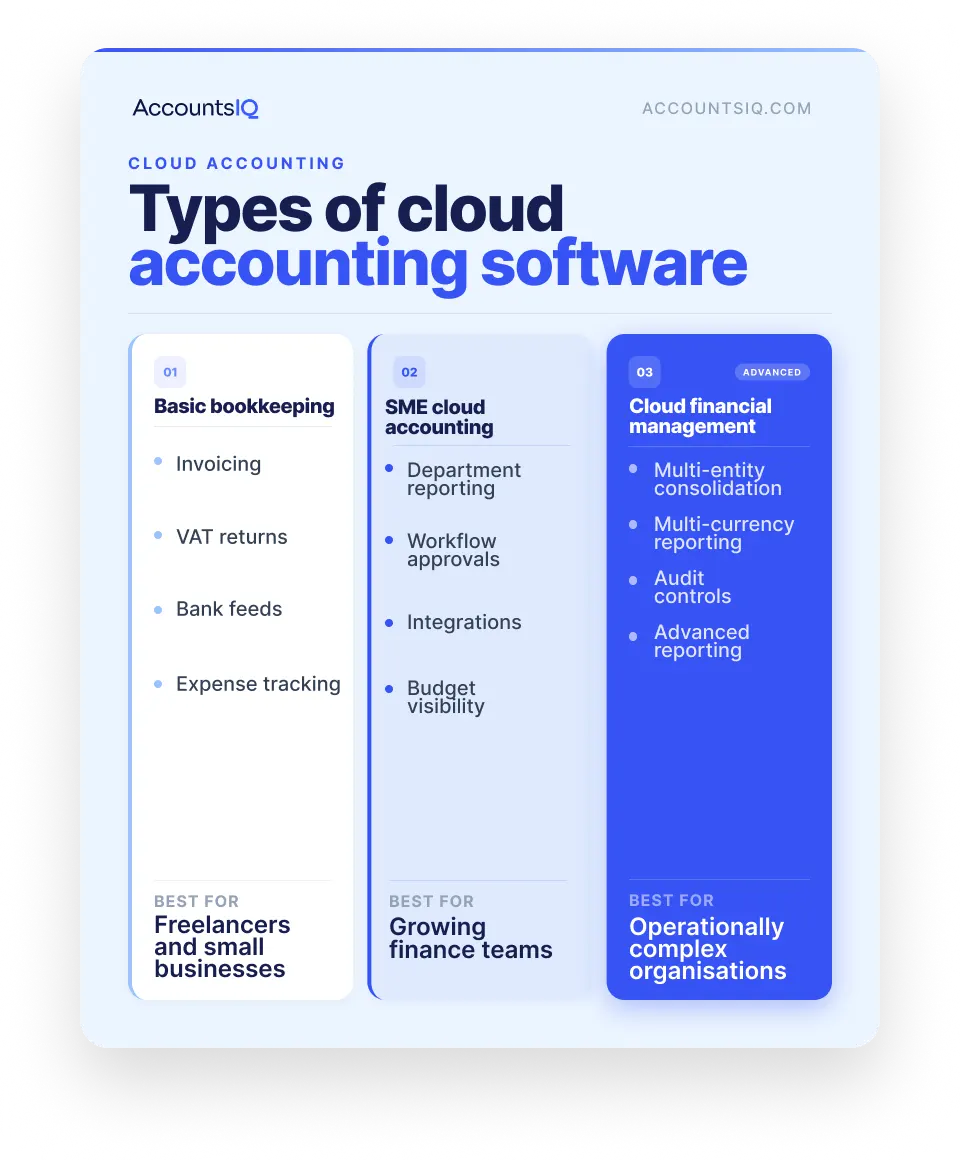
Cloud accounting software isn’t one single type of system. Some tools are built for simple bookkeeping. Others support more complex finance work, such as reporting, approvals, consolidation, and multi-entity accounting.
That distinction matters as businesses grow. Eurostat data shows that in 2025, ERP software was used by 41.08% of small EU enterprises, compared with 88.71% of large enterprises: a clear sign that more complex organisations tend to need more integrated systems.
The right fit depends on how much complexity your finance team needs to manage.
These categories aren’t always fixed. Some platforms stretch across more than one stage, and providers often prioritise different strengths.
A useful test is this: if your system mainly helps you record transactions, you need bookkeeping software. If it also needs to help you report, consolidate, approve, forecast, and control finance across the business, you need cloud financial management software.
Cloud accounting vs traditional accounting software
The main difference between cloud accounting and traditional accounting software is where the system lives and how finance teams access it:
- Traditional accounting software is usually installed on specific devices or hosted on internal servers.
- Cloud accounting software is accessed online, with the provider managing the underlying infrastructure.
That shift reflects a wider move away from on-premise IT. The UK Competition and Markets Authority reported that UK customers spent £10.5bn on cloud services in 2024, with spending growing by nearly 30% each year since 2020 as organisations rely more on cloud services than traditional IT.
Traditional accounting software can still work well where finance processes are simple, stable, and supported by internal IT. But as businesses grow, the pressure usually shows up in reporting, approvals, collaboration, and spreadsheet-heavy workarounds.
What are the benefits of cloud accounting software?
The benefits of cloud accounting software depend on what the business needs the system to do.
For a small business, the main gain might be simpler invoicing, bank reconciliation, and VAT reporting. For a growing finance team, the value is usually bigger: faster reporting, fewer manual workarounds, clearer approvals, and stronger control over the numbers.
More up-to-date financial visibility
Cloud-based accounting software gives finance teams a more current view of transactions, reports, and dashboards than systems that rely heavily on exports, local files, or manual spreadsheet updates.
That can help teams:
- Monitor performance more regularly
- Reduce delays in management reporting
- Give budget holders access to relevant financial information
- Spot issues earlier in the month, not after month-end
The useful point is giving finance and leadership teams a clearer view of what is happening before decisions have already been made.
Less manual finance admin
Finance teams often lose time to work that adds little value: rekeying data, chasing approvals, exporting reports, reconciling figures between systems, and rebuilding the same spreadsheets each month.
That matters because finance automation is already a priority for many finance leaders.
A CFO Survey by Duke University found that just over half of CFOs had implemented technology to automate a task previously completed by employees in the previous 12 months. Among those investing in automation, 87% cited cost savings as a motivation.
Better collaboration between finance and the business
Cloud accounting systems give authorised users access to the same finance environment, with permissions controlling what they can see and do.
That can make day-to-day collaboration easier across:
- Finance teams
- Department heads
- Approvers
- Budget owners
- Auditors
- External advisers
- Senior leadership
Instead of sending files back and forth, teams can work from one system with clearer ownership, approval history, and reporting access.
Stronger reporting, controls, and audit trails
As businesses grow, finance teams need more than accurate bookkeeping. They need confidence in how numbers are entered, approved, changed, and reported.
This is especially important where finance reporting still depends heavily on spreadsheets. Research into operational spreadsheets found errors in 0.8% to 1.8% of formula cells across 50 spreadsheets, with some errors having a substantial impact on key outputs.
Spreadsheets still have their place. But when reporting, consolidation, and approvals depend on manual files, finance teams can end up carrying more risk and rework than they realise.
More room to grow
One of the clearest signs a business has outgrown its accounting system is when finance processes start bending around the software.
Cloud accounting software gives growing businesses more flexibility to add users, entities, workflows, reporting dimensions, and integrations without rebuilding finance processes from scratch.
For very small businesses, that may not matter yet. For growing and mid-market finance teams, it often becomes the difference between a finance system that supports growth and one that creates more work every month.
Is cloud accounting software secure?
Cloud accounting software can be secure, but security is not automatic just because a system is cloud-based.
For finance teams, the real question is: what controls does the provider have in place, and how much control do you have over access, permissions and audit activity?
That matters because accounting systems hold sensitive financial data. The UK Government’s Cyber Security Breaches Survey 2025 found that 43% of UK businesses reported a cyber security breach or attack in the previous 12 months, rising to 67% of medium businesses and 74% of large businesses.
Reputable cloud accounting providers should be able to explain how they protect customer data, manage access, monitor activity, and support business continuity.
When comparing providers, check:
- Encryption in transit and at rest
- User permissions and access controls
- Multi-factor authentication
- Audit trails
- Backup and disaster recovery processes
- Security certifications
- Data hosting locations
- Security documentation or Trust Centre access
- Incident monitoring and communication
- GDPR and data governance processes
The National Cyber Security Centre’s cloud security guidance recommends assessing cloud providers against principles including data protection, resilience, governance, operational security, secure user management, identity and authentication, and audit information.
💡 AccountsIQ maintains ISO 27001 certification and provides GDPR-aligned controls and security practices for finance teams managing sensitive financial information.
Cloud accounting in the UK: what finance teams need to consider
For UK finance teams, choosing cloud accounting software needs to support digital record-keeping, VAT processes, reporting controls, and the way your business operates day to day.
Making Tax Digital and digital record keeping
Making Tax Digital has made compatible software a practical requirement for many UK businesses.
HMRC says all VAT-registered businesses should now be signed up for Making Tax Digital for VAT and must use compatible software to keep VAT records and file VAT Returns. For Making Tax Digital for Income Tax, HMRC says software needs to create digital records, send quarterly updates, and submit the tax return.
That doesn’t mean every business needs the most complex accounting platform. But it does mean finance teams should check whether the software supports the right digital record-keeping and submission requirements for their situation.
💡 Always confirm current tax and reporting requirements with HMRC guidance or your adviser.
VAT, audit trails, and reporting requirements
Beyond MTD, finance teams should look at how well the system supports day-to-day control.
Check whether the UK cloud accounting software can handle:
- Audit trails
- User permissions
- Management accounts
- Consolidation, where needed
This is where entry-level bookkeeping tools can start to feel stretched. They may handle basic VAT and bank reconciliation well, but struggle when reporting, approval control, or multi-entity visibility becomes more complex.
UK support, migration, and implementation
Cloud accounting implementation usually involves data migration, reporting setup, user training, permissions, and process changes.
Before choosing a system, ask:
- What migration support is included?
- How will historical data be handled?
- Who will configure reports, workflows and approval routes?
- What training is available for finance users and approvers?
- Does the support team understand UK finance workflows?
- What happens after go-live?
A strong platform can still disappoint if implementation is rushed or under-scoped.
Multi-currency and multi-entity requirements
UK businesses with international operations often need more than standard bookkeeping.
If your organisation works across multiple entities, currencies, countries, or reporting lines, check whether the system can support:
- Intercompany processes
- Entity-level and group-level reporting
- Local tax and reporting requirements
- Permissions across teams, entities, or regions
These requirements often become difficult to manage in spreadsheets or entry-level systems. For growing and mid-market finance teams, they are usually a sign that cloud financial management software may be a better fit than basic cloud bookkeeping.
When does a business need more than entry-level cloud accounting?
Basic cloud bookkeeping software can work well early on. It helps with invoices, bank feeds, VAT returns, and simple reports.
But as the business grows, the pressure often shifts from bookkeeping to reporting, approvals, consolidation, and control. And that’s usually when finance teams start looking for a more capable cloud accounting system.
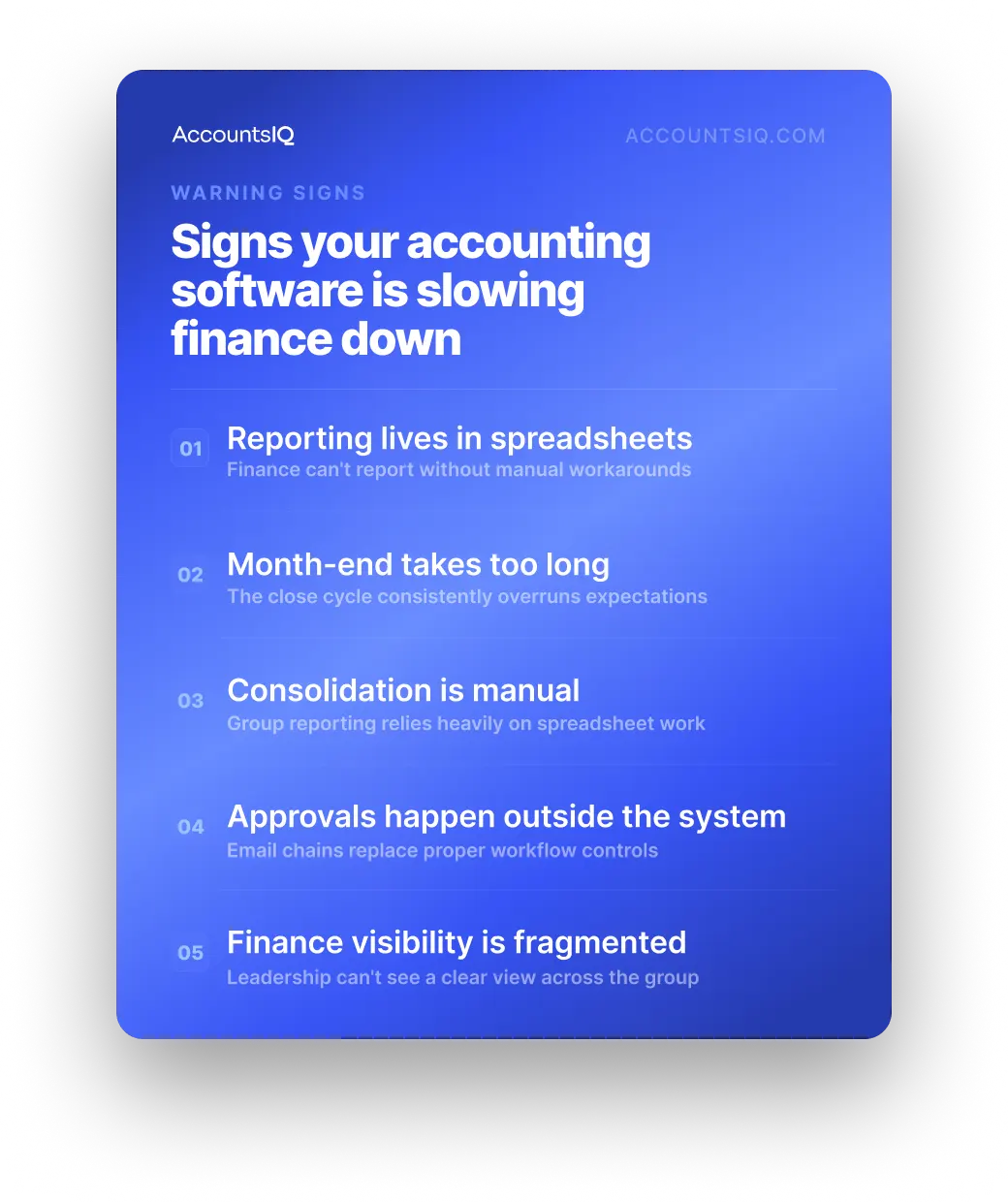
You may have outgrown entry-level cloud accounting if:
- Month-end relies on spreadsheets. Reports need to be exported, checked, rebuilt, or consolidated manually before leadership can use them.
- You manage multiple entities, locations, or funds. Consolidation, intercompany accounting, multi-currency reporting, or group visibility are becoming harder to manage.
- Reporting packs take too long to prepare. Finance is spending too much time producing board packs, department reports, project reports, or budget updates by hand.
- Approvals and controls are getting harder to track. Workflows, user permissions, and audit trails need more structure than the current system can provide.
- You have outgrown Xero, QuickBooks, or Sage 50. The system still handles basic accounting, but reporting, consolidation, integrations, or permissions now require too many workarounds.
- ERP feels too heavy. You need stronger financial management, but not necessarily a full operational ERP system.
At that point, cloud financial management software may be a better fit. It gives growing finance teams more room to manage reporting, consolidation, and controls without jumping straight to a full ERP system.
💡 If that sounds familiar, book a demo with AccountsIQ to see how a finance-first cloud accounting system could support your team.
How to choose the best cloud accounting software for your business
Choosing cloud accounting software should start with the work your finance team is trying to fix.
That matters because spreadsheets often become the workaround when accounting systems cannot support the process properly. One analysis of 65,000 spreadsheets in finance departments found that spreadsheets frequently filled gaps left by dedicated accounting systems, particularly around reporting and business process work.
Use the questions below to build a clearer shortlist.
The best cloud accounting software is the one that fits how your finance team works now, and where the business is heading next.
💡 For a deeper buying framework, read our guide on how to choose accounting software.
Is AccountsIQ the right cloud accounting software for you?
AccountsIQ is built for growing and mid-market finance teams that need more than basic bookkeeping.
If your team is managing multiple entities, consolidation, multi-currency reporting, approval workflows, or spreadsheet-heavy month-end reporting, AccountsIQ may be a better fit than entry-level cloud accounting software.
AccountsIQ can support teams that need:
It’s likely to be more than a very small business needs. But for finance teams that need stronger reporting, controls, and visibility as they grow, it’s worth a closer look.
💡 Book a demo with AccountsIQ to see whether it fits your finance setup.
FAQs about cloud accounting software
Is cloud accounting the same as online bookkeeping?
Not always. Online bookkeeping is usually focused on invoicing, expenses, bank reconciliation, and basic accounting tasks.
Cloud accounting can also include more advanced financial management capabilities such as consolidation, approvals, budgeting, workflow automation, and management reporting.
What should medium-sized businesses look for in cloud accounting software?
Medium-sized businesses often need stronger reporting, consolidation, workflow controls, audit trails, integrations, user permissions, and multi-entity visibility.
The focus should be on whether the system can support operational growth without increasing manual finance work.
Is cloud accounting suitable for multi-entity businesses?
Yes, but capabilities vary significantly between providers.
If you manage multiple entities, check how the system handles consolidation, intercompany processes, multi-currency reporting, group-level visibility and entity-level permissions.
What is the difference between cloud accounting and ERP?
Cloud accounting software focuses on finance processes such as accounting, reporting, approvals, consolidation, and financial control.
ERP systems usually cover a wider set of operational processes, such as inventory, manufacturing, supply chain, HR, or procurement. Some businesses need full ERP. Others need a finance-first cloud accounting system with enough depth to support growth.