


Most finance systems don’t fail overnight. They get worked around.
Consolidation moves into spreadsheets. Reports take longer to pull together. Approvals happen in email chains. The board pack depends on the one person who knows which exports to run.
That reliance on spreadsheets is still widespread: a 2025 Datarails study found that nearly 90% of companies still use Excel for financial processes. Useful, yes. But often a sign that finance systems, reporting needs, and business complexity are no longer lining up.
That’s usually when finance leaders start searching for the best cloud accounting software: the current system still works, but it no longer fits the way the business runs.
This guide compares leading cloud accounting software options for growing and mid-market businesses, covering where each system fits, where it can feel limited, and what to look for before switching.
What is the best cloud accounting software?
The best cloud accounting software is a platform that gives your finance team reliable financial data, practical reporting, and scalable control in the cloud. It should cover day-to-day accounting while supporting the way your business is structured.
For a small business, that may mean simple invoicing, bank feeds or bookkeeping. For a growing or mid-market business, it usually means stronger reporting, approvals, consolidation, multi-currency support, and controls that can scale with the business.
There is no single best platform for every company. A sole trader doesn’t need the same system as a multi-entity group. The right choice depends on your stage of growth, reporting pressure, entity structure, and how much manual work finance needs to remove.
For teams comparing cloud accounting for growing businesses, the better question is: which system can support the complexity you have now, and the complexity you’re likely to add next?
Best cloud accounting software in 2026
Cloud accounting software covers a wide range of systems, from simple bookkeeping tools to full ERP platforms. That is why a straight ranking can be misleading.
Xero and QuickBooks are built for very different needs than NetSuite or Sage Intacct. A business moving on from Sage 50 will not have the same priorities as a multi-entity group looking for automated consolidation, or a larger company planning a full ERP rollout.
So, the list below is not ranked by brand size or popularity. It compares each platform by best fit: who it suits, where it is strong, and where growing finance teams may need to look more closely.
Top 10 cloud accounting software at a glance
- AccountsIQ: Best for growing, mid-sized, and multi-entity businesses
- Xero: Best for small businesses and starter finance teams
- QuickBooks: Best for straightforward small-business bookkeeping
- Sage 50: Best for smaller businesses already using Sage
- iplicit: Best for mid-market teams weighing up cloud finance options
- Sage Intacct: Best for larger finance teams with advanced needs
- NetSuite: Best for businesses that need full ERP scope
- Xledger: Best for ERP-style cloud finance requirements
- Access Dimensions: Best for existing Access Dimensions users
- Microsoft Dynamics 365 Business Central: Best for Microsoft-led businesses
1. AccountsIQ
Best for: Growing, mid-sized, and multi-entity businesses.
AccountsIQ is a strong fit for finance teams that have outgrown basic bookkeeping and need greater control, deeper reporting, and scalability. It sits between starter accounting software and full ERP, making it well-suited to growing businesses that need stronger finance functionality without taking on unnecessary operational complexity.
Key features:
Keep in mind:
AccountsIQ may be more than very small businesses need if they only want simple bookkeeping, invoicing, and bank feeds. It is better suited to finance teams with growing reporting, consolidation, or control requirements.
💡 Book a demo to see how AccountsIQ can support your reporting, consolidation and control as your business grows.
2. Xero
Best for: Small businesses and starter finance teams.
Xero is a popular cloud accounting platform for small businesses that need a simple way to manage everyday finance tasks. It can work well for teams moving away from spreadsheets or desktop accounting software, especially when the priority is invoicing, bank reconciliation, and basic reporting.
As the business grows, the fit can become more stretched. Higher transaction volumes, more entities, deeper reporting needs, and month-end pressure can push finance teams towards spreadsheets, add-ons, or manual workarounds.
Key features:
- Invoicing and quotes
- Bank feeds and reconciliation
- Bills and expenses
- Purchase orders
- Standard financial reporting
- VAT support
- App marketplace
Keep in mind:
Xero can be a strong starting point, but growing businesses may need more advanced reporting, multi-entity accounting, consolidation, and controls than starter software is designed to provide.
3. QuickBooks
Best for: Small businesses and owner-managed companies.
QuickBooks is a familiar accounting platform for small businesses that need everyday bookkeeping, invoicing, and finance admin. It can be a practical option when the business has straightforward accounts and a small team managing day-to-day finance.
As the business grows, the fit can become more limited. Finance teams may need deeper reporting, multi-entity visibility, stronger controls, and fewer workarounds than small-business bookkeeping software is designed to provide.
Key features:
- Invoicing
- Bills and expenses
- Bank feeds and reconciliation
- VAT support
- App integrations
Keep in mind:
QuickBooks can work well for smaller businesses, but growing finance teams may need more advanced reporting, multi-entity accounting, consolidation, and control as the business becomes more complex.
Compare AccountsIQ with QuickBooks.
4. Sage 50
Best for: Smaller businesses already using Sage.
Sage 50 is a familiar accounting option for many smaller businesses, especially teams that have used Sage products for a long time. It can work well when finance requirements are relatively simple, and the team values a known setup.
As the business grows, that familiarity can become less useful. Finance teams may need more flexible reporting, better cloud workflows, easier collaboration, consolidation and integrations that are harder to manage in an entry-level or cloud-connected setup.
Key features:
- Invoicing
- Bank reconciliation
- VAT returns
- Stock management
- Purchase and sales order processing
- Standard financial reporting
Keep in mind:
Sage 50 can work well for smaller businesses, but growing teams may need more scalable cloud workflows, flexible reporting, multi-entity consolidation, and integrations than Sage 50 is best suited to provide.
Compare AccountsIQ with Sage 50.
5. iplicit
Best for: Mid-market teams weighing up cloud finance options.
iplicit is a relevant option for mid-market businesses moving away from starter software or older finance systems. It often appears on the shortlist when finance teams are reviewing modern cloud finance platforms and want something more capable than basic bookkeeping tools.
The key is to compare it carefully against AccountsIQ, especially if reporting depth, consolidation, scalability, and support are central to the decision. For growing and multi-entity businesses, the right system needs to support cleaner workflows, stronger reporting, and the next stage of finance maturity.
Key features:
- Cloud accounting
- Financial reporting
- Dashboards
- Approval workflows
- Multi-company accounting
- Integrations
- Budgeting support
Keep in mind:
iplicit may be worth shortlisting, but growing and multi-entity finance teams should benchmark it closely against AccountsIQ. Reporting depth, consolidation, workflow clarity, support model, and total cost of ownership are likely to be key decision factors.
Compare AccountsIQ with iplicit.
6. Sage Intacct
Best for: Larger finance teams with advanced accounting needs.
Sage Intacct is a cloud-based finance system often considered by organisations with more advanced accounting requirements. It can suit teams that need structured financial management, reporting, and additional finance modules beyond standard bookkeeping.
For growing and mid-market businesses, the key question is whether Sage Intacct’s module-driven approach gives the team what they need, or adds more configuration, implementation time, and partner involvement than they want.
If the priority is reporting, consolidation, approvals, and control without moving into heavier finance-system complexity, AccountsIQ may be the more focused fit.
Key features:
- Accounts payable and receivable
- Cash management
- Reporting and dashboards
- Multi-entity and global consolidations
- Project accounting
- Purchasing and order management
Keep in mind:
Sage Intacct may suit advanced finance teams, but some mid-market businesses may not need the extra configuration or implementation effort.
Compare AccountsIQ with Sage Intacct.
7. NetSuite
Best for: Businesses needing full ERP scope.
NetSuite is a cloud ERP platform rather than a standalone accounting system. It can be a strong fit when finance needs to sit inside a wider operational setup covering areas such as inventory, procurement, CRM, ecommerce, projects, or supply chain.
For growing and mid-market finance teams, the key question is whether the business genuinely needs that full ERP breadth. NetSuite is highly configurable, but that can also mean more setup, longer implementation, higher costs, and a steeper learning curve.
If the priority is finance, reporting, consolidation, approvals and control, a finance-first system like AccountsIQ may provide the depth needed without turning the project into a full ERP rollout.
Key features:
- Financial management
- Order management
- Inventory management
- Procurement
- CRM
- Ecommerce
- Project management
Keep in mind:
NetSuite is strongest when finance needs to be integrated into a broader ERP environment. If your main priority is accounting, reporting, consolidation, and finance control, it may be more system than you need.
Compare AccountsIQ with NetSuite.
8. Xledger
Best for: Organisations considering ERP-style cloud finance software.
Xledger is relevant for organisations comparing more advanced cloud finance systems. It sits closer to the ERP-style end of the market than starter accounting tools, so it may appeal to teams that need broader finance functionality and a more structured setup.
For growing and mid-market finance teams, the key question is how much complexity the business actually needs. If the main priority is scalable accounting, consolidation, reporting, and controls, AccountsIQ may be the more focused choice.
Key features:
- Cloud accounting
- Dashboards and analytics
- Budgeting support
- Multi-company accounting
- Workflow automation
Keep in mind:
Xledger may suit organisations looking for broader ERP-style finance functionality. But for mid-market finance teams focused on reporting, consolidation, controls, and implementation speed, AccountsIQ may provide a more targeted fit without unnecessary complexity.
Compare AccountsIQ with Xledger.
9. Access Dimensions
Best for: Existing Access Dimensions users reviewing their next finance system.
Access Dimensions is most relevant for businesses that already use it and are deciding whether it can support their next stage of growth. For those teams, the question is less about choosing a new cloud accounting platform from scratch, and more about whether their current setup still gives finance the flexibility, reporting, and control they need.
As businesses become more complex, older finance systems can start to make reporting, accounting collaboration, consolidation, and integrations harder to manage. That’s often when teams begin looking for a more scalable cloud accounting platform.
Key features:
- Core financials
- Multi-currency transactions
- Advanced BI reporting
- Bank feeds
- Open API
Keep in mind:
Access Dimensions may remain relevant for existing users, but growing businesses should consider whether their finance system can support cloud-based consolidation, flexible reporting, integrations, and better visibility across entities.
Compare AccountsIQ with Access Dimensions.
10. Microsoft Dynamics 365 Business Central
Best for: Microsoft-led businesses.
Microsoft Dynamics 365 Business Central can suit businesses already committed to Microsoft’s ecosystem. It is an ERP-style business management system for small and mid-sized businesses, with finance connected to wider areas such as sales, purchasing, inventory, warehousing, and project management.
For finance teams, the main question is how much operational breadth they really need. Some businesses want a wider Microsoft-connected system. Others may be better served by a finance-first cloud accounting system focused on reporting, consolidation, and control.
Key features:
- Financial management
- Sales and purchasing
- Inventory management
- Warehousing
- Project management
- Microsoft 365 and Power BI connectivity
Keep in mind:
Business Central can be a good fit for Microsoft-led organisations that need broader operational functionality. But for finance teams mainly focused on accounting, reporting, consolidation, and controls, a finance-first system like AccountsIQ may be easier to adopt and better matched to the job.
How to choose the best cloud accounting software
Choosing the best accounting software is not just about ticking off features. The right system should match your finance team’s structure, reporting pressure, controls, and appetite for change.
Automation is already high on the finance agenda: a 2024 CFO survey found that just over half of CFOs had implemented technology in the previous year to automate employee tasks.
For growing and mid-market businesses, the aim is simple: choose a system that reduces manual work, supports better reporting, and gives finance room to scale.
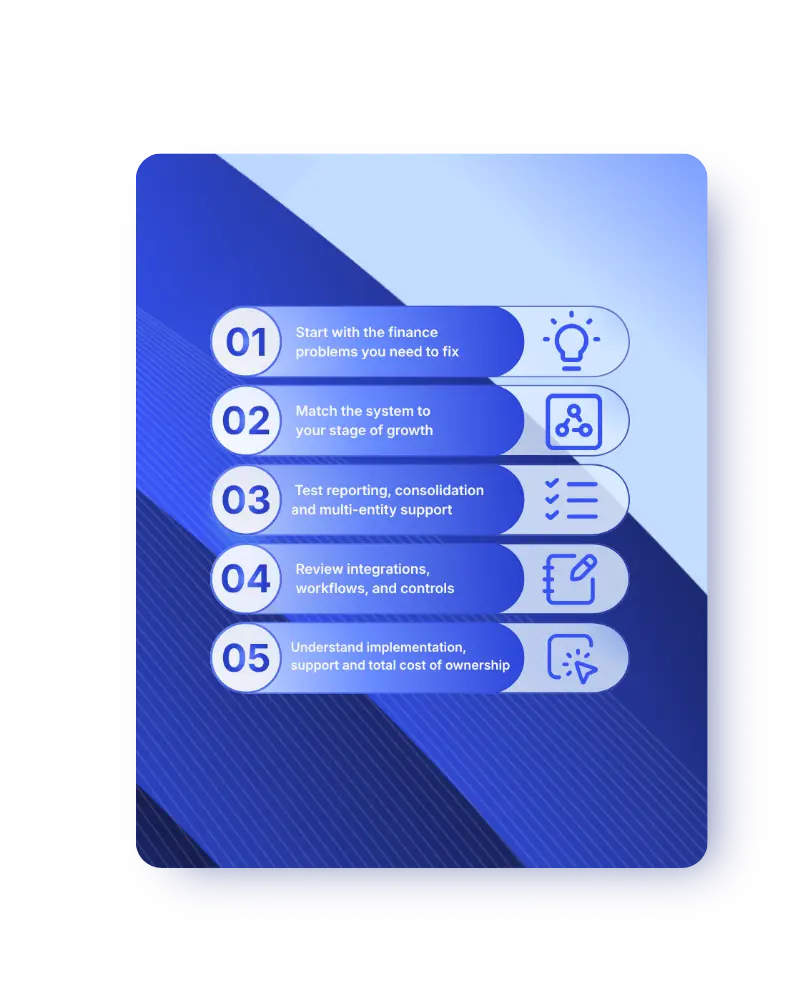
1. Start with the finance problems you need to fix
Before comparing vendors, list the problems your team is dealing with now. Be specific.
Look at where time is being lost:
- Month-end close
- Management reporting
- Approval workflows
- Reconciliations
- Rekeying between systems
If your team cannot name the problem clearly, it will be harder to judge whether a platform actually solves it.
2. Match the system to your stage of growth
A simple cloud accounting tool may be enough for a small business. A growing finance team usually needs more structure: stronger reporting, more controls, more users, more entities, and better visibility across the business.
When reviewing options, ask:
- Will this system still fit if we add another entity, department, or location?
- Can it support higher transaction volumes?
- Can finance report in the way leadership already reviews performance?
- Will we need add-ons to cover core finance work?
The best cloud accounting software for growing teams should fit the finance function you are building, not just the one you have today.
3. Test reporting, consolidation and multi-entity support
Reporting is often where starter systems begin to creak. Don’t rely on screenshots or standard dashboard demos. Ask vendors to show how the system would handle your actual reporting structure.
Check whether you can report by entity, department, project, location, fund, cost centre, and currency.
For multi-entity businesses, consolidation should be tested early too. Look at whether the system can handle automated consolidation, intercompany transactions, multi-currency reporting, group-level visibility, and entity-level controls.
This is where cloud accounting with reporting, business intelligence, and consolidation become important. The goal is faster, cleaner reporting that finance leaders can trust without rebuilding every pack in Excel.
4. Review integrations, workflows, and controls
Finance rarely works in isolation. Your accounting system may need to connect with payroll, CRM, expenses, banking, ecommerce, inventory, or operational systems.
This is where integration quality matters. A Deloitte survey of tax and finance executives found that 36% cited integrating tax-related data across the company as a major challenge, while 23% pointed to limited technology or data management expertise.
When comparing platforms, ask:
- Which integrations are native?
- Which need third-party tools?
- Is there an open API?
- Will finance still need manual imports?
- Can approvals happen inside the system?
- Can permissions be set by role, entity or value threshold?
- Are audit trails clear and easy to follow?
A weak integration or workflow setup can recreate the same manual work the new system was meant to remove.
5. Understand implementation, support and total cost of ownership
The licence price is only one part of the decision. The real cost includes implementation, data migration, training, integrations, add-ons, support, and future configuration.
Before choosing a platform, clarify:
- What implementation includes
- Who handles data migration
- How long setup usually takes
- What training is included
- Whether support is in-house or partner-led
- Which features cost extra
- How pricing changes as the business grows
A system that looks cheaper at the start may cost more later if finance needs extra tools, extra support, or manual workarounds to get core work done.
When entry-level cloud accounting software may no longer be enough
Starter cloud accounting software can work well in the early stages. It usually becomes a problem when the business grows faster than the finance system can support.
The signs are often practical, not dramatic. Month-end takes longer. Reporting needs more manual checking. Consolidation moves outside the system. Finance starts relying on add-ons, exports, and workarounds to answer questions the accounting platform should be able to handle.
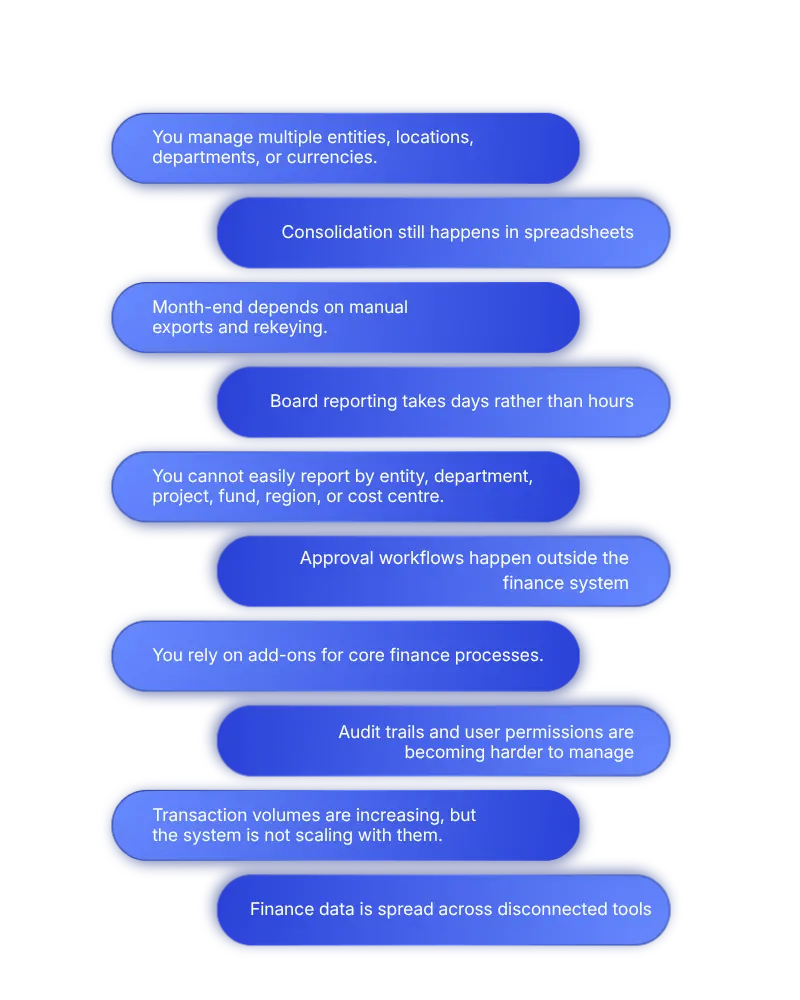
You may be ready to move beyond entry-level cloud accounting software if:
- You manage multiple entities, locations, departments, or currencies.
- Consolidation still happens in spreadsheets.
- Month-end depends on manual exports and rekeying.
- Board reporting takes days rather than hours.
- You cannot easily report by entity, department, project, fund, region, or cost centre.
- Approval workflows happen outside the finance system.
- You rely on add-ons for core finance processes.
- Audit trails and user permissions are becoming harder to manage.
- Transaction volumes are increasing, but the system is not scaling with them.
- Finance data is spread across disconnected tools.
These are signs that the system no longer reflects the complexity of the business.
For growing and mid-market finance teams, the next step is usually a cloud accounting platform with stronger reporting, automated consolidation, better controls, and the flexibility to support future growth.
Why growing finance teams choose AccountsIQ
By this stage, the decision usually comes down to fit. Starter systems can be useful early on, and full ERP can be right for businesses with broad operational complexity. But many growing and mid-market finance teams sit in between.
AccountsIQ is built for that gap.
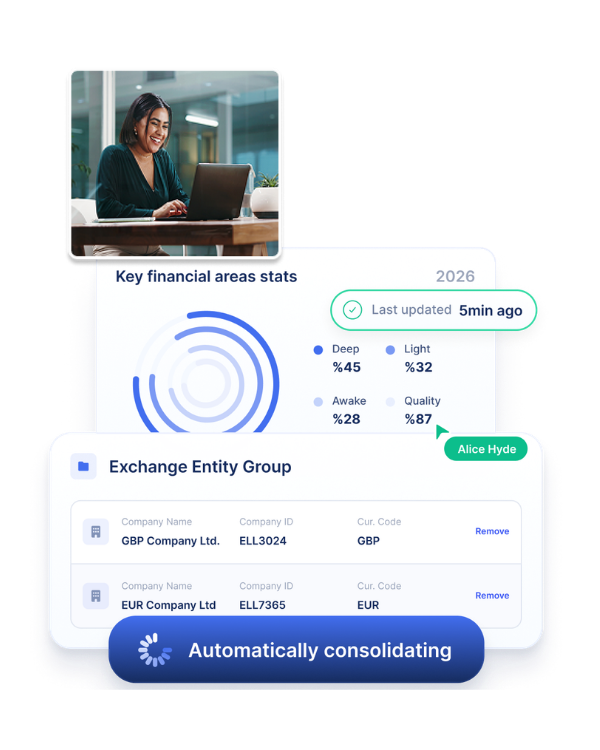
It gives finance teams the depth to manage multi-entity accounting, automated consolidation, flexible reporting, business intelligence, and accounting integrations, without turning the finance system into a large ERP project.
If your team is spending too much time fixing reports, managing consolidation outside the system, or working around software that no longer reflects the business, AccountsIQ should be high on the shortlist.
💡 Book a demo to see how AccountsIQ can support your reporting, consolidation and control as your business grows.
FAQs about cloud accounting software
What is the best cloud accounting software?
The best cloud accounting software depends on your business size and finance complexity. Small businesses may only need bookkeeping software. Growing and mid-market businesses often need stronger reporting, consolidation and controls. For multi-entity organisations, AccountsIQ is a strong option.
What is the best cloud accounting software for a medium-sized business?
The best cloud accounting software for a medium-sized business is usually a scalable finance platform that supports reporting, consolidation, approvals, and integrations. Medium-sized businesses often need more than starter bookkeeping software but may not need a full ERP system. AccountsIQ is built for that middle ground.
What is the best cloud based accounting software for growing teams?
The best cloud based accounting software for growing teams should support higher transaction volumes, better reporting and stronger controls. Growing teams should look for automated consolidation, approval workflows and integration flexibility. AccountsIQ is a strong fit for teams with increasing finance complexity.
When should a business move from Xero, QuickBooks or Sage 50?
A business should consider moving when reporting becomes too manual, consolidation happens in spreadsheets or month-end close takes too long. Other signs include multiple entities, complex approvals, limited visibility and the need for stronger audit trails.
Is cloud accounting software suitable for multi-entity businesses?
Yes, cloud accounting software can work well for multi-entity businesses, but the platform must be designed for that level of complexity. Look for automated consolidation, multi-currency capability, group reporting and entity-level controls. AccountsIQ is built to support growing and mid-market multi-entity organisations.