Streamlining your non-profits finance process

Nonprofit finance teams are juggling complex stakeholder demands, strict regulations, and fragmented systems — often while still running everything on entry-level accounting tools and spreadsheets.
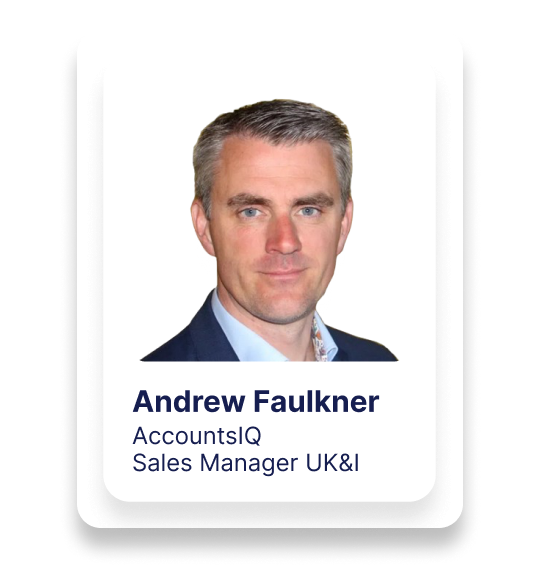
In “Streamlining Your Nonprofit Finance Process”, Andrew Faulkner, Senior BDM and Not-for-Profit Lead at AccountsIQ, walks through how modern cloud finance software can help charities and NFPs regain control, reduce manual work, and deliver the reports trustees, funders and regulators expect.
Andrew starts by positioning AccountsIQ in the market: a cloud-only, mid-market accounting platform that bridges the gap between small business tools (e.g. Xero, QuickBooks, Sage 50) and heavyweight ERPs (e.g. SAP, NetSuite, Workday). He outlines how AccountsIQ supports 20,000+ daily users, maintains high uptime, and handles implementation, integrations and support entirely in-house — delivering rapid response times and smooth onboarding.
From there, the webinar zooms in on nonprofit realities:
- Multiple stakeholder groups: donors, grant providers, beneficiaries, volunteers, staff, suppliers and regulators
- VUCA conditions (volatility, uncertainty, complexity, ambiguity) affecting funding, demand and compliance
- Reporting needs around SORP, SOFA, fund, and project reporting, often managed in Excel outside the finance system
Andrew then demonstrates how AccountsIQ tackles key nonprofit finance pain points:
- Income management – invoicing donors, handling recurring donations, and recognising deferred income
- Expenditure control – purchase orders, budget-holder approvals, AP automation, invoice matching and bulk payments
- General ledger & analysis – a three-tier chart of accounts plus up to six analysis dimensions (BI codes) for funds, projects, departments, regions, etc.
- Multi-entity and FX – managing charitable and trading entities, overseas branches, and realised/unrealised gains and losses
- VAT and partial VAT – full support for MTD (UK) and ROS (Ireland)
- Staff expenses – mobile app with configurable rules, project coding and digital receipt capture
- Banking and reconciliation – connections to 12,500+ banks, traffic-light bank rec, and support for FX accounts and credit cards
- Integrations – connecting CRMs (Salesforce, Microsoft Dynamics, HubSpot, etc.) and donor collection platforms (Stripe, PayPal, etc.) to reduce rekeying and errors
You’ll see how reporting and approvals are handled inside a single system:
- A three-tier chart of accounts (category, subcategory, GL) plus six dimensions for deep analysis
- Budgets and revised budgets loaded and reported on at granular level (fund, project, region, etc.)
- 250+ standard reports with rich filters, plus dashboards designed specifically for NFP finance
- An OData connector to live-link AccountsIQ to Excel and Power BI
- A new workflow approval engine supporting multi-step, rules-based approvals (by GL, analysis code, supplier, value and more), with full audit trails
The session also covers the onboarding journey:
- Discovery – reviewing reporting requirements, SORP/SOFA needs, chart of accounts redesign, and analysis structure
- Build – setting up a sandbox environment, user roles, integrations and core configuration
- Training – access to the CPD-certified AccountsIQ Academy, live webinar training, and in-app Q Hub resources
- Go-live & handholding – agreeing a go-live date, overlapping with the old system, and guided support through the first month-end
- Ongoing success – access to support, the Q Hub, and a dedicated Customer Success Manager for future phases and enhancements
Finally, Andrew runs a short live demo of an NFP dataset, showing:
- Entity-level dashboards with filters for periods and funds
- Donor invoicing and recurring donation schedules
- Purchase orders and approvals (including mobile and email approval options)
- AP Inbox for emailed invoices and PO matching
- Bulk payment runs with partial payments and bank file creation
- Bank feeds with red/amber/green reconciliation suggestions
- Chart of accounts and analysis for fund/project reporting
- Intercompany postings and fixed asset management
- P&L reporting with budget and regional analysis
The session closes with practical advice on phasing your digital journey: start with core ledgers, then layer in bank feeds, approvals, integrations and self-service reporting for budget holders and managers.
Key topics covered
1. Nonprofit landscape & stakeholders
- How NFP finance differs from commercial finance
- Managing expectations for:
- Volunteers and paid staff
- Donors and grant providers
- Beneficiaries and local/global communities
- Suppliers and regulators
- Applying VUCA (volatility, uncertainty, complexity, ambiguity) to nonprofit finance
2. What is AccountsIQ and where does it fit?
- Cloud-only since 2008 – no legacy desktop baggage
- Mid-market positioning between entry-level tools and ERPs
- 20,000+ daily users in 60+ countries
- In-house implementation, integration, support and engineering
- Typical implementation timescales and flexibility for urgent or phased projects
3. Quick digital wins for nonprofits
- Income & donors
- Sales/donor invoicing
- Recurring invoices for regular gifts
- Deferred income configuration
- Expenditure
- Purchase orders with approvals
- Email-in supplier invoices
- Auto-matching to POs with tolerances
- Bulk supplier payments and remittances
- GL & analysis
- Chart of accounts + BI codes / dimensions
- Fund, project, region and activity analysis
- Fast drilldown to transactional level
- Multi-entity & FX
- Charitable + trading entities
- Overseas branches and FX gains/losses
- Tax & compliance
- VAT and partial VAT
- MTD (UK) and ROS (Ireland)
- Staff expenses
- Mobile app for staff/volunteers
- Rules per role or grade
- Project/fund tagging and receipt capture
- Banking
- 12,500+ bank connections
- FX bank accounts and credit card feeds
- Traffic-light bank reconciliations
- Integrations
- CRMs (Salesforce, Dynamics, HubSpot, etc.)
- Donor and payment platforms (Stripe, PayPal, etc.)
- Automated file imports and full API connections
4. Reporting & analytics for charities
- Three-tier chart of accounts (category, subcategory, GL)
- Up to six analysis dimensions for:
- Funds (restricted/unrestricted/designated)
- Projects and programmes
- Departments, locations, cost centres, etc.
- Budgeting and reforecasting at detailed analysis level
- 250+ standard reports with flexible filters and output formats
- Dashboards tailored to NFP needs (financial overview, income, expenditure, etc.)
- OData connectivity to Excel and Power BI for live-linked custom reporting
- Reporting Services team for bespoke NFP reports and management packs
5. Workflow approvals & spend control
- New workflow approval engine for:
- Single or multi-step approvals
- Budget holder sign-off
- Rules based on:
- GL code
- Analysis (fund, project, department)
- Supplier or requester
- Transaction value
- Full approval history: who approved, when, rejections and resubmissions
- Approvals via web, email and mobile
6. Onboarding & change management
- Discovery: reporting outputs, SORP/SOFA needs, and Excel pain points
- Build: sandbox setup, chart of accounts redesign, analysis structure, roles, integrations
- Training:
- AccountsIQ Academy (40+ hours, CPD certified)
- Live webinar sessions
- In-app Q Hub (FAQs, guides, videos)
- Go-live:
- Agreed start date
- Overlap with legacy system for opening balances and clean cut-over
- Handholding:
- Weekly calls with your implementation consultant through first month-end
- Success:
- Ongoing support
- Customer Success Manager for future projects (new entities, phases, features)
7. Product demo highlights (NFP dataset)
- Multi-entity environment with a dedicated consolidation entity
- Financial overview dashboards with filters for:
- Period (e.g. year, month)
- Comparisons (last month, last year)
- Restricted vs unrestricted funds
- Specific funds/projects
- Income:
- Sales/donor quotes and orders
- Sales invoices and statements
- Recurring invoicing schedules
- Expenditure:
- Purchase orders and status tracking
- Approvals via web, email, and mobile
- AP Inbox for emailed invoices and PO matching
- Bulk payments with partial payment options and bank file export
- Banking:
- Bank feeds and traffic-light bank rec (red/amber/green)
- GL & entities:
- 3-tier chart of accounts
- Analysis codes for regions, projects, funds
- Intercompany module for automated cross-entity postings
- Fixed asset register and depreciation journals
- Reporting:
- P&L with budgets and regional analysis
- Quick insight into under- or over-performance by region or fund
Who should watch this webinar?
- Finance managers, controllers, FDs and CFOs in charities and nonprofits
- NFPs currently using Xero, QuickBooks, Sage 50 or spreadsheets and feeling the strain
- Organisations with multiple entities, trading arms, or overseas operations
- Finance teams struggling with:
- Manual AP and bank rec
- Poor spend control and visibility
- Time-consuming SORP/SOFA, fund or project reporting
What is this webinar about?
It’s about how nonprofits and charities can streamline their finance processes using a cloud-based mid-market finance system (AccountsIQ), with a focus on spend control, reporting and integrations.
Who presents the session?
The webinar is presented by Andrew Faulkner, Senior Business Development Manager and Not-for-Profit Lead at AccountsIQ, who has both implementation and product advisory experience.
Is it specific to charities and nonprofits?
Yes. The session focuses on non-profit requirements such as SORP/SOFA reporting, fund accounting, project reporting, partial VAT, and managing donors, grant providers and other stakeholders.
Does it cover implementation and change management?
Yes. Andrew walks through the discovery, build, training, go-live, handholding and ongoing success phases, including timelines and resources available (Academy, Q Hub, CSM).
Do I need to be an existing AccountsIQ customer to benefit?
No. The content is useful for any nonprofit exploring how to modernise their finance function. Existing AccountsIQ users will also pick up tips on dashboards, approvals and reporting they may not be using yet.
Author