Outgrowing your existing accounting software?

If you’re spending more time wrestling spreadsheets and workarounds than analysing performance, chances are you’ve outgrown your current accounting system.
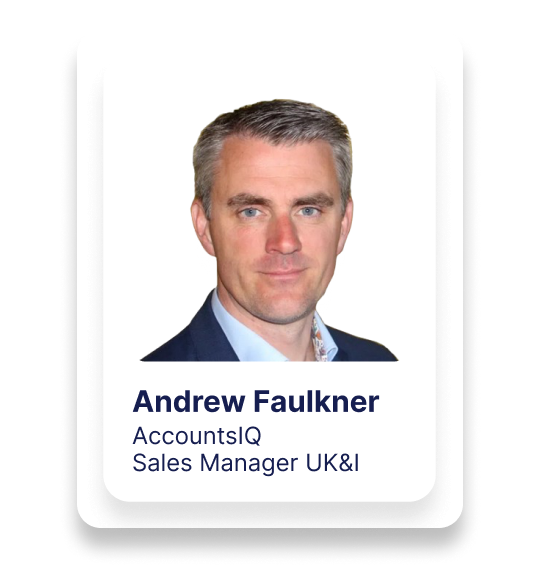
In this webinar, “Outgrowing Your Existing Accounting Software”, Andrew Faulkner (Senior Business Development Manager, former implementation consultant at AccountsIQ) walks through:
- The warning signs your current finance system can’t keep up
- Why so many organisations get stuck between entry-level tools and full ERPs
- How AccountsIQ bridges that gap as a true mid-market, cloud-only platform
- What a realistic, low-stress implementation and onboarding process looks like
Andrew draws on both his implementation and sales experience to show how organisations replace ageing on-prem solutions or entry-level cloud tools with a more powerful, integrated finance system — without taking on ERP-level cost and complexity.
1. Who AccountsIQ are and where they sit in the market
Andrew starts by positioning AccountsIQ (AIQ):
- In market since 2008 as a cloud-only finance platform
- ~1,000 clients and around 20,000 users
- Headquartered in the UK & Ireland, used in 60+ countries
- Everything is built and run in-house:
- Engineering & product
- Implementation & onboarding
- Support & customer success
Performance and service stats (rolling figures):
- Uptime: ~99.994%, with almost all downtime being planned maintenance out of hours
- Support SLA: 1 hour; actual average response ~27 minutes from a real person
- Onboarding satisfaction: 98%+ (measured at the end of implementation)
- Typical implementation: 4–6 weeks, with flexibility to go faster or slower as needed
Security and training credentials include:
- ISO certification
- Hosted on Microsoft Azure, with certified partner status
- AccountsIQ Academy (online training platform) fully CPD certified
2. The “missing middle” between entry-level tools and ERPs
Andrew explains the original vision from CEO Tony Connolly:
The market historically had:
- Entry-level systems: Sage 50, Xero, QuickBooks, etc.
- A big gap.
- Full ERPs: SAP, Oracle, NetSuite, Workday, Sage Intacct, etc.
Many organisations now find themselves in that gap:
- Entry-level tools are:
- Struggling with data volume, multi-entity, or reporting demands
- Relying on Excel and manual workarounds
- Lacking integration, controls, and analysis depth
- Full ERPs are:
- Expensive (licenses, services, internal resourcing)
- Complex to implement and change
- Often require 6–12 month projects and dedicated internal teams
AccountsIQ is designed to sit squarely in this “mid-market” space – powerful enough to handle growing organisations and groups, but without ERP-level cost and complexity.
3. From Finance Function 1.0 → 2.0 → 3.0
Andrew frames the evolution of the finance function:
Old model (Finance 1.0)
- Heavy focus on transaction processing and manual checking
- Compliance and statutory reporting dominates the team’s time
- Management information is often:
- Produced 2–3 weeks after month-end
- Built in Excel, prone to error
- Hard to slice by department, project, or region
New model (Finance 2.0 and beyond)
AccountsIQ is built to:
- Reduce manual processing and duplicated data entry
- Automate low-value tasks:
- Bank feeds & reconciliations
- AP/AR processes
- Journals, intercompany, etc.
- Keep core compliance solid, but free up time for:
- Real-time performance tracking (not post-hoc)
- Department-level visibility against budget
- Better, faster decision support for management and the board
Goal: As sales orders are raised, purchase orders are approved and bank transactions hit, finance and non-finance stakeholders can see where they stand now, not weeks later.
4. Why organisations outgrow their existing accounting software
The webinar highlights common pain points that trigger a change:
- Too much manual work
- Heavy reliance on Excel and re-keying
- No automation for approvals, bulk payments, bank recs, etc.
- Limited analysis and BI
- One-dimensional cost centres at best
- Difficult to get granular views (by region, product, project, fund, etc.)
- Hard to answer questions like “How is Team A vs Team B?” or “Project X vs Project Y?”
- Weak/convoluted reporting
- Standard P&L / balance sheet / trial balance only
- Difficult to produce tailored packs for:
- Department heads
- Boards and investors
- Auditors and regulators
- Group and multi-currency pain
- Multiple entities, often in different currencies
- Consolidation done manually in Excel
- No easy sub-consolidations by region or line of business
- Integration gaps
- Front-office systems (CRM, EPOS, ticketing, project tools, donor platforms, etc.) not connected
- Data exported/imported via CSV, hand-keyed, or not synced at all
- Ageing or unsupported platforms
- Legacy on-prem systems nearing end-of-life
- Uncertainty about future support or compatibility
AccountsIQ is designed to address these specific friction points.
5. Key capabilities in AccountsIQ
a) Cloud-native, multi-entity core
- Web-browser access from anywhere
- Single environment hosting:
- Multiple trading entities
- Different base currencies per entity
- A consolidation layer to roll everything up into a chosen group currency
b) Deep analysis via dimensions (BI)
- Up to 6 dimensions (e.g. departments, projects, regions, products, funds)
- Often called cost centres or analysis codes in other systems
- Every transaction can be tagged to the relevant codes
- Lets you answer questions like:
- “How is London vs Dublin vs New York performing?”
- “What’s the margin by product line?”
- “How are our individual funds or projects tracking vs budget?”
c) Powerful, flexible reporting
- GL Explorer with 3-tier chart of accounts:
- Category → Subcategory → GL code
- Instant drilldown from summarised P&L/BS/TB to transaction level
- Extensive report library:
- Entity-level P&Ls, balance sheets, cashflow statements
- Group-level reports (with entity breakdowns)
- Aged Debtors/Creditors, bank recon status, intercompany matrices, FX gains/losses
- Ability to filter and report by dimension, not just account code
d) Group consolidation & sub-consolidations
- One-click consolidation pulling together:
- Chart of accounts
- Dimension structure and balances
- Budgets and reforecasts
- Multi-currency retranslation into a single group currency
- Supports:
- Groups with tens or hundreds of entities
- Complex ownership structures (e.g. sub-groups by geography or business line)
e) Integrations and automation
- Extensive library of prebuilt integrations
- In-house integration team for bespoke needs:
- Full API-to-API integrations
- Automated file imports (e.g. daily EPOS files, ticketing systems)
- Common use cases:
- EPOS and ticketing systems
- Payroll systems
- CRMs (Salesforce, Microsoft Dynamics, etc.)
- Bespoke in-house platforms
f) Service & customer success
- The business is effectively split in thirds:
- Sales & marketing
- Engineering & product
- Customer-facing services (implementation, support, training, success)
- Support includes:
- Ticketing
- Chat
- Guided calls (Teams/Zoom) when needed
- QHub within the app:
- Help articles and manuals
- Training content
- Support and success contact options
- Product roadmap visibility
- Feature suggestion and feedback channel
6. The onboarding process: what actually happens
Andrew breaks the implementation journey into clear stages:
1) Discovery
- Understand:
- Current finance setup and pain points
- Chart of accounts and analysis needs
- Group structure and currency requirements
- Existing systems you may want to integrate (CRM, EPOS, payroll, etc.)
2) Build (Sandbox first)
- Configure:
- Entities and consolidation structure
- Chart of accounts and dimensions
- Tax and bank settings
- Approval workflows and user roles
- Build initially in sandbox to:
- Let you test workflows safely
- Validate design before going live
3) Training (from day one)
- Immediate access to AccountsIQ Academy (CPD-certified)
- 8 hours of instructor-led webinar training included
- Help content accessible via QHub on every page
4) Go-live preparation
- Data migration (opening balances, key master data)
- Dress rehearsals and readiness checks
- Go-live timing aligned with your preferred date (e.g. start of month/quarter)
5) Post go-live handholding
- Implementation consultant stays with you through your first month-end
- Weekly or regular calls to answer questions and adjust processes
6) Ongoing success
- Formal handover call:
- Implementation consultant → Support team
- Ensures support fully understands your configuration
- High-priority support for first 6–12 months
- Named Account Manager / Customer Success for roadmap, integrations and expansion conversations
7. Inside the product: key modules and features (high-level)
Andrew’s live demo covers:
- Bank module:
- Connect to ~12,500 banks
- Up to 4 feeds per day
- Traffic light matching (green/orange/red) for reconciliation
- Support for foreign currency and corporate credit card feeds
- Sales module:
- Quotes → Orders → Deliveries → Invoices
- Email invoices and statements
- Recurring invoices with reminders
- Common place for CRM and payments integration (e.g. Salesforce + Stripe)
- Purchase module:
- Supplier master data with defaults and terms
- Purchase orders with approvals (in-app, email, or mobile)
- AP Inbox for emailed invoices (with auto-matching to POs and tolerances)
- Bulk payments:
- Picks up due invoices & credits based on terms
- Export payment files for upload to your bank
- Email remittances with full breakdowns
- General Ledger & Analysis:
- GL Explorer with filters for dimensions (e.g. region = London)
- Drilldown on any blue figure to transaction detail
- Fixed Assets:
- Asset classes and individual assets
- Month-end depreciation routines
- Expenses & approvals:
- Mobile expense app:
- Control what staff can claim and where they can code
- GPS-based mileage
- Receipts capture and manager approvals
- Mobile expense app:
- Email module:
- Track sent invoices, statements, remittances
- See delivery status (accepted/failed)
- Reporting & consolidation:
- Entity-level: P&L, BS, TB, aged reports, etc.
- Consolidation-level: group P&L with entity breakdowns, intercompany, FX, etc.
8. New navigation and dashboards
Towards the end, Andrew reveals the new UI & dashboards:
- Left-hand side navigation for a more modern, streamlined experience
- Ability to pin/favourite frequently used screens
- New dashboarding layer:
- P&L, working capital, AP & AR visuals
- Filters down the left; interactive charts and KPIs
- Future enhancements planned:
- Upload non-financial KPIs (e.g. occupancy, operational metrics)
- Editable dashboards and embedded report builder
These dashboards are designed not only for finance, but also for senior management who want quick, visual insight without digging into detailed reports.
9. Example customers and use cases
Andrew touches on a range of client types:
- Single-entity and multi-entity organisations
- Single and multi-currency groups
- No integrations vs 10+ integrations
- Sectors ranging from:
- NFPs and charities
- Tech and SaaS
- Hospitality and cultural trusts
- Professional services and accounting firms
Author