

Get more from your finance software

If your organisation has outgrown entry-level accounting software like basic cloud tools or ageing on-premise systems, but you’re not ready for the cost and complexity of a full ERP, this webinar is designed for you.
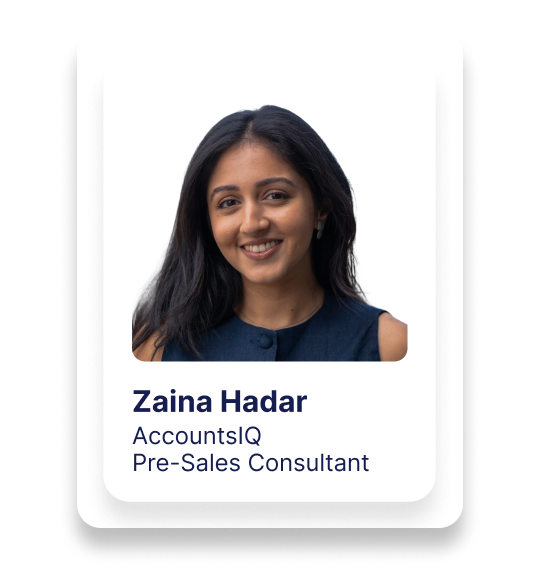
In this live demo of AccountsIQ, Jack (Account Executive) and Zaina (Presales Consultant and qualified accountant) take you on a guided tour of the platform and explain where AccountsIQ fits in the finance software landscape:
More powerful and scalable than entry-level cloud accounting, without the heavy implementation and overhead of a full ERP.
You’ll see how AccountsIQ combines:
- Mid-market financial management functionality
- Group accounting with multi-entity and multi-currency consolidation
- Automation of manual finance processes
- Business intelligence and granular reporting via BI codes and dimensions
- Open APIs for integration with your other systems
All delivered as a cloud financial management solution hosted on Microsoft Azure with in-house onboarding and support.
What this demo webinar covers
1. Where AccountsIQ fits in the market
Jack opens with a short overview of:
- The “forgotten middle” – businesses that have outgrown entry-level cloud tools but don’t need (or want) a full ERP
- How AccountsIQ occupies the mid-market space, helping companies:
- Move off spreadsheets and fragile workarounds
- Consolidate multiple entities and currencies
- Automate recurring and manual finance processes
You’ll also hear key service benchmarks:
- Hosted on Microsoft Azure with 99.9% uptime
- 98%+ customer satisfaction across implementation and support
- Average implementation time of 4–6 weeks (all in-house)
- ~27 minute average support response – to a real person, not a bot
2. Reshaping the finance team: from processing to insight
The session looks at how AccountsIQ helps finance functions:
- Reduce transactional, manual work (data entry, Excel-based reconciliations, manual reports)
- Maintain and improve control, compliance and reporting
- Free up time to focus on analysis, decision support and strategic guidance
You’ll see how automation and better data structures shift the balance away from “firefighting in spreadsheets” towards metric-driven decision making.
3. Live tour of the core platform
Jack and Zaina then walk through the live system UI, focusing on:
Navigation & user access
- Modern, browser-based user interface with global search and clean side navigation
- Login to multiple entities, sub-consolidation layers and sandbox environments
- Help Hub with in-product documentation, support ticketing and access to your account manager
- Maintain User Profiles:
- Granular control over what each profile can see or do (modules, screens, reports, dashboards, OData connector)
- Ideal for:
- Finance team roles
- Budget holders and business users
- Board members and auditors with read-only / restricted access
General Ledger & three-tier chart of accounts
- Three-tier chart of accounts:
- Category
- Subcategory
- GL code
- GL Explorer showing:
- Quick access to P&L, balance sheet and trial balance
- Drill-down from blue values to transaction-level detail
- Fully customisable grid views:
- Drag-and-drop columns
- Filters and search boxes
- Export any grid to Excel
Dimensions & BI (Business Intelligence) codes
- Up to six analysis dimensions (e.g. department, location, project, revenue stream, funds)
- Unlimited elements under each dimension (e.g. specific projects, regions, funds)
- BI codes tag transactions to one or multiple dimensions, enabling:
- P&L by project / department / region / fund
- Cross-sectional analysis (e.g. project by location, revenue stream by department)
- Example use cases:
- Not-for-profit / charity fund reporting (restricted/unrestricted/designated)
- Professional services profitability by project and department
- Multi-site or multi-country profitability
Budgets & journal automation
- Hold multiple budgets, download/upload budget templates
- Journal Manager supports:
- Standard GL journals
- Prepayments
- Cost accruals
- Revenue accruals
- Deferred revenue
- FX revaluation
- Example: Prepayment journal
- Pick a transaction, set number of periods (e.g. 12 months)
- System calculates monthly amounts and posts across periods, tagged with GL and BI codes
- “Set and forget” – the system handles routine postings going forward
4. Accounts Payable, approvals & AP automation
Supplier setup
- Import or create supplier accounts
- Capture account details, tax codes, payment terms, bank details, contacts, notes
- Custom fields for additional information or checks (e.g. bank details verification flag)
Workflow approvals
- Multi-step approval workflows for:
- Purchase orders
- Purchase invoices
- Expenses, journals, etc. (depending on configuration)
- Define:
- Auto-approval rules up to specific limits
- Reapproval tolerances (net, gross, or percentage) for edits
- Steps such as Budget Holder → Finance Manager → CFO, with individual limits per approver
- Approval basis: GL code, supplier, dimension/BI code or combinations
- Decision mode: all must approve / any can approve / choose at processing time
Purchase orders & status tracking
- Create and manage purchase orders, and monitor:
- Approval status
- Who submitted and who needs to approve
- Resubmit POs if required and filter by status (awaiting approval, approved, etc.)
AP Inbox & invoice capture
- Each client receives a dedicated AP Inbox email address
- Invoices are processed using OCR, extracting:
- Supplier details (name, IBAN, VAT number)
- Invoice number, dates, amounts
- Multiline invoice data (header and lines, where configured)
- Intelligent matching:
- Match to existing supplier accounts
- Match to purchase orders where PO numbers are present
- When matched, invoices can skip straight to the invoice approval screen
Bulk payments & remittances
- Single screen to manage bulk supplier payments:
- See due/overdue invoices, flags (e.g. bank detail changes, disputes, unallocated credits)
- Make part-payments where needed
- Submit the payment run for approval
- Generate and download a bank payment file (e.g. BACS) for your online banking portal
- Send remittance advices to suppliers directly from the bulk payments screen
5. Bank feeds & reconciliation
- Integrated bank feeds (via providers like Plaid) bring in transaction data multiple times per day
- On first use, many items appear as unrecognised (red); you:
- Match transaction to supplier/GL once
- Mark it to recognise for future
- Next time similar transactions arrive, the system remembers the mapping (orange/green), dramatically reducing manual matching and reconciliation workload.
6. Reporting & dashboards
Standard reports & management report pack
- Over 250+ standard reports across AR, AP, GL, bank, intercompany and more
- Option to have custom reports built by AccountsIQ’s reporting services team
- Management Report Pack example shown in the demo:
- KPI summary (monthly and year-to-date)
- P&L vs budget, vs last year, and forecast
- Balance sheet and cash flow statement
- Sales, debtor and creditor analysis with charts
- Drill-down to transaction detail even in Excel
Extended Business Analysis (BI-driven reporting)
- Extended business analysis report by BI code
- Layer in dimensions (e.g. location, project, department) to compare:
- Revenue and costs by region
- Profitability by project, division or fund
- Run reports, then:
- View in full screen
- Export to Excel or PDF
- Email to system or non-system users directly from AccountsIQ
Dashboards & visual insights
- Prebuilt dashboards for:
- Profit & loss
- Accounts receivable / debtors
- Accounts payable / creditors
- Other key functions
- Use BI codes and dimensions as filters to instantly change charts and KPIs (e.g. P&L by department, project, region).
What is AccountsIQ?
AccountsIQ is a cloud-based financial management platform for mid-market organisations. It offers multi-entity and multi-currency group accounting, advanced reporting and automation, delivered via Microsoft Azure with in-house implementation and support.
Who is AccountsIQ for?
AccountsIQ is designed for organisations that have outgrown entry-level cloud accounting or legacy on-premise systems, and need more robust functionality and consolidation, but don’t want the cost and complexity of a full ERP.
How long does AccountsIQ implementation take?
Typical implementations take around 4–6 weeks, delivered entirely in-house by AccountsIQ’s onboarding team. Timelines can move faster or slower depending on each business’s pace and complexity.
Does AccountsIQ support multi-entity and multi-currency consolidation?
Yes. You can have multiple entities, flexible sub-consolidation layers, and multi-currency group reporting, all within the same environment.
Can AccountsIQ integrate with our existing systems?
Yes. AccountsIQ has a fully open API, and an in-house integrations team that can connect the platform with CRM, billing, expense, payment and other third-party systems as required.
How does AccountsIQ reduce manual finance work?
Through features like journal automation, AP Inbox invoice capture, automated matching on bank feeds, workflow approvals and bulk payment runs, AccountsIQ removes many manual steps, allowing finance teams to focus on analysis and decision support.
Can I restrict what different users see or do in the system?
Yes. Using user profiles, admins can grant or restrict access to modules, screens, reports, dashboards and the OData connector. This supports finance roles, business users, board members and auditors with tailored access rights.
Author
