From legacy to leading: How to make the switch to a new finance system stress-free

Switching finance systems can feel terrifying for charities:
multiple stakeholders, regulatory reporting, funder requirements, restricted vs unrestricted funds, partial VAT… and that’s before you touch Excel.
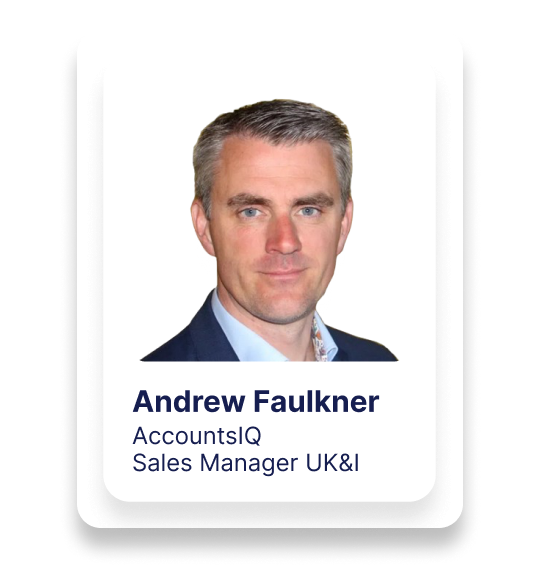
In “From legacy to leading: how to switch to a new finance system stress free”, Charity Digital host Laura Stanley is joined by Andrew Faulkner from AccountsIQ to unpack exactly how charities can move from outdated, manual, or on-premise finance tools to a modern cloud platform calmly and successfully.
Drawing on years of working with UK and Irish charities, Andrew walks through:
- How to map your stakeholders and reporting requirements (trustees, funders, regulators, donors, beneficiaries, departments, regions)
- Why your chart of accounts is probably bloated – and how to redesign it for funds, projects, regions and donors
- What good budgeting and multi-dimensional analysis looks like for charities (SOFA, funds, cost centres, activities)
- How to plan and phase an implementation so BAU doesn’t fall over, even with a small finance team
- Where automation (AP, expenses, bank feeds, journals, intercompany) can save days every month
- How to choose a supplier who will actually partner with you – not just dump a system and disappear
The session is packed with practical tips, candid warnings about what goes wrong, and real examples of charities who’ve dramatically reduced month-end effort and improved reporting by moving to the cloud.
Key topics covered
1. Understanding your charity’s true requirements
Andrew starts with the basics: before you look at software, you need to understand who you’re responsible to and what they need:
- Volunteers, staff, suppliers and beneficiaries
- Donors and grant providers (with different reporting needs)
- Regulators (Charity Commission, Companies House, HMRC, etc.)
He encourages charities to:
- Review their chart of accounts (often stretched and messy)
- Assess current analysis codes and where Excel is filling gaps
- Look at how budgets are held – in the finance system or in disconnected spreadsheets
- List all external reporting: SOFA, fund reports, project reports, funder reports, board packs, regional breakdowns, etc.
This initial “where are we now?” view shapes everything that follows.
2. Flipping the finance triangle: from manual slog to insight
Using a simple triangle diagram, Andrew contrasts:
Today’s reality for many charities:
- 70–80% of time spent on:
- Manual data entry (invoices, expenses, bank)
- Exporting to Excel and reconciling multiple systems
- Wrestling with compliance and audit requests
- Very little time left for:
- Analysing spend vs budget
- Scenario planning and forecasting
- Supporting strategic decisions
The goal:
- Automate as much transactional work as possible
- Use built-in controls and approvals to support compliance
- Free up time for analysis, insight and decision support
This “flip” becomes the guiding principle for selecting and implementing a new system.
3. Designing your data for charity reporting
Andrew stresses that reporting quality is limited by data design:
- Clean, rationalised chart of accounts (no “dumping ground” GL codes)
- Proper fund accounting: restricted, unrestricted, designated, endowment etc.
- Dimensions / analysis codes for:
- Projects and activities
- Departments or cost centres
- Regions or locations
- Major donors or grant programmes
He explains how a modern system can let you:
- Run SOFA-style reports straight from the system
- Break down income and spend by donor, funder, project, location or department
- Load budgets into the finance system (not just Excel) for real-time budget vs actuals
The message: design for future growth, not just today – leave room for new funds, projects and entities.
4. Choosing and planning a system change
Key points when selecting a new finance system for charities:
- Be clear on goals: is this just “get off an unsupported server” or a full transformation?
- Identify project stakeholders: finance, SMT, service leads, trustees, IT, etc.
- Don’t underestimate:
- Time to select a system
- Time and internal effort to implement it
Common pitfalls Andrew sees:
- Lack of planning (“we’ll figure it out after we sign”)
- Finance working in a silo without involving other users
- A project lead without enough authority to make decisions
- Unrealistic expectations (“I’ll do this in an hour a week”)
- Scope creep – trying to do everything at once
- No clear go-live date, leading to endless drift
He recommends phasing:
- Phase 1 – core finance (GL, AP, AR, bank, funds, basic reporting)
- Phase 2 – approvals, document capture, integrations, extra dashboards
- Phase 3 – more advanced automation (intercompany, partial VAT, deeper integrations)
5. What can be automated (and how that helps charities)
Andrew walks through practical areas where automation can make a huge difference:
Income and donor systems
- Integrating CRM/donor platforms (e.g. Salesforce, Microsoft-based CRMs, online giving, PayPal/Stripe)
- Reducing manual journal entry for income from multiple channels
Staff and volunteer expenses
- Using mobile apps for staff and volunteer expenses (travel, subsistence, mileage)
- Handling corporate card spend via feeds into an expense tool
- Getting approved expenses into finance with correct codes and funds
Purchasing and AP
- Optional purchase orders for spend control (now or later)
- Emailing supplier invoices straight into the system
- OCR to read invoices and auto-suggest coding
- Approval workflows based on:
- Value
- Department/project/fund
- Supplier/GL code
- Bulk payment runs and automated remittances
Bank and cash
- Bank feeds so you don’t have to log into online banking for balances
- Auto-matching and rules to speed up reconciliations
General ledger & VAT
- Recurring journals for prepayments, deferred income, accruals
- Revenue recognition for training courses or events booked in advance
- Handling partial VAT and Making Tax Digital submissions
- Intercompany postings and consolidation (including FX translation) for charities with trading subsidiaries or overseas entities
6. Implementation stages & “stress-free” tactics
Andrew outlines a typical implementation journey:
- Design
- Agree chart of accounts, funds, analysis codes, users and roles
- Build
- Configure sandbox environment
- Import master data
- Set up workflows and (where needed) integrations
- Training & testing
- Finance team working in sandbox
- Practice key processes end-to-end
- Go-live
- New system used for all new transactions from a chosen date
- Old system used only to close prior periods and support audit
- Handholding period
- Vendor supports first month-end in the new system
- Weekly calls for questions and tweaks
- Business-as-usual
- Handover to support team and account manager
- Scope future phases (e.g. CRM integration, extra dashboards, etc.)
On parallel running, Andrew is honest: it sounds reassuring, but in reality it doubles work and creates confusion. Almost every charity he’s worked with ultimately decides not to parallel run once they’re trained and confident in the new system.
7. Timing your switch
“Year end” isn’t always the best answer.
Andrew suggests:
- Look at your heaviest periods: year-end, audit, budgeting, major events
- Consider switching:
- At the end of Q1 or Q3
- Mid-year, with opening balances and historic TBs imported
- Remember auditors are used to mid-year system changes – they just need clear documentation
The mantra: choose a time when you realistically have capacity to engage with the project.
8. Measuring success & choosing the right partner
Finally, Andrew talks about what “good” looks like:
- Clean, reliable data and clear fund reporting
- A finance team doing more analysis and less manual processing
- Non-finance stakeholders engaging with dashboards and reports
- Faster month-end close and smoother audits
- Flexibility to plug in new systems in future (CRMs, fundraising tools, etc.)
On supplier choice, he recommends:
- Look for honesty – a vendor willing to say “we’re not right for you”
- Evidence of success with charities similar to yours
- In-house implementation and integration capability
- A clear support and account management model – not just sales
Author