


Restricted funds in one spreadsheet. Grant conditions in another. Trustee reports rebuilt from exports. Gift Aid handled outside the finance system.
That’s often the point where your accounting software has stopped matching how your charity works.
With UK charitable donations falling from £15.4bn in 2024 to £14bn in 2025, finance teams need a clearer way to track, evidence, and report every pound.
The best accounting software for charities helps you manage funds properly, support charity reporting requirements, and give trustees, funders, auditors, and budget holders the right view of the numbers.
This guide compares five options and explains what to look for before you choose.
Quick answer: What is the best accounting software for charities?
The best accounting software for charities depends on the complexity of your finance function.
For growing charities with more complex reporting across funds, grants, departments, projects or entities, AccountsIQ is the strongest fit to consider.
For straightforward bookkeeping, Xero or Sage may be a practical starting point.
For churches and charities that need dedicated fund accounting, Gift Aid and SoFA-style reporting, Liberty Accounts or ExpensePlus may be a better match.
The right choice usually comes down to five questions:
- Can the system report clearly by restricted and unrestricted fund?
- Can it support SORP and SoFA reporting needs?
- Can it track grants, projects, departments and entities without spreadsheet workarounds?
- Can it keep approvals, documents and audit trails in one place?
- Can it connect with your wider finance stack, including expense management, payroll, CRM, donation tools and banking?
The main types of accounting software for charities
Most charity accounting software falls into three groups.
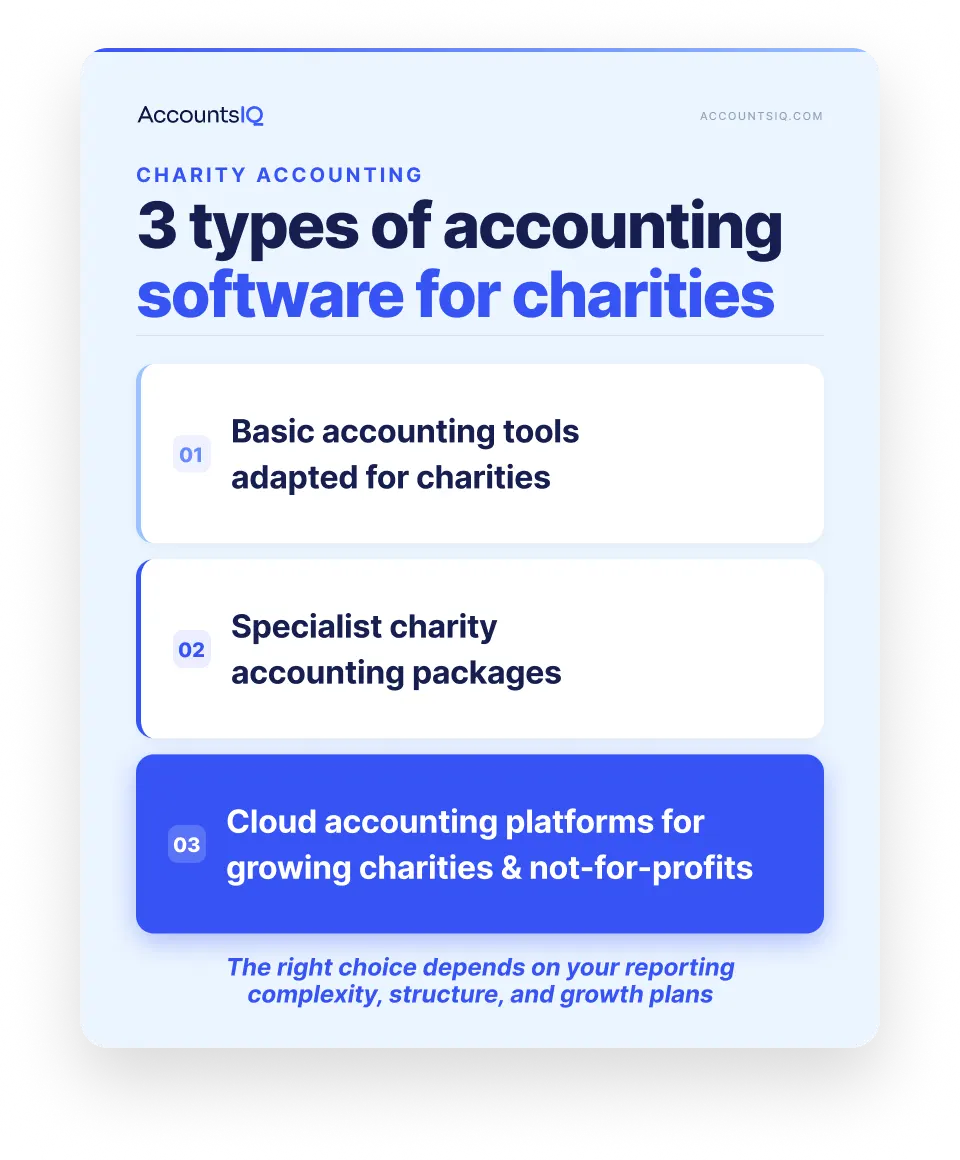
1. Basic accounting tools adapted for charities
Good for small charities with simple bookkeeping needs.
These tools can handle everyday income, expenditure, bank reconciliation, and basic reports. But charity-specific reporting may need extra setup, add-ons, or spreadsheet workarounds.
2. Specialist charity accounting packages
Good for charities that want built-in charity workflows.
These systems are designed around common not-for-profit finance tasks, such as fund tracking, donation handling, Gift Aid, budget-holder reporting, or SoFA-style reporting. The main thing to check is whether the system can keep up as reporting gets more complex.
3. Cloud accounting platforms for growing charities and not-for-profits
Good for charities that need stronger reporting, approvals, integrations, or multi-entity support.
These platforms suit finance teams that need more structure and flexibility across funds, grants, projects, departments, locations, or entities. They may be too much for a very small charity, but they can make sense once manual reporting starts taking over.
Which type of charity accounting software is right for you?
Best accounting software for charities in the UK: 5 options compared
There isn’t one “best” charity accounting software for every organisation. A local charity with simple bookkeeping needs will judge software differently from a growing not-for-profit with grants, departments, trustees, volunteers, and multiple reporting deadlines.
So, rather than comparing these tools as if they all solve the same problem, we’ve grouped them by where they tend to fit best.
Quick verdict: Best charity accounting software by use case
1. AccountsIQ
Best for: Growing charities and not-for-profits that need more control over reporting, approvals, and finance structure.
AccountsIQ is best suited to charities where finance has become too layered for basic bookkeeping tools. That might mean more funds to report on, more grant restrictions to monitor, more budget holders asking for updates, or more entities, departments or projects to manage.
Its main advantage is structure. Instead of relying on exported reports and separate spreadsheets, finance teams can build reporting around the dimensions that matter to the organisation, such as fund, grant, project, department, location or entity.
Key features
- ExpenseIn integration for expenses, mileage tracking, approvals, and accounting sync
Where it may not fit
AccountsIQ may be more than a very small charity needs if the finance process is limited to simple income, expenditure, and bank reconciliation.
For charities that are still early-stage or have very low reporting complexity, a simpler bookkeeping tool may be a better first step.
💡Book a demo to see how AccountsIQ could support your charity’s fund reporting, approval workflows, and finance reporting.
2. Liberty Accounts
Best for: UK charities and churches that want dedicated charity accounting features in one system.
Liberty Accounts is a better fit for charities that want software shaped around charity and church accounting, rather than a general small-business accounting tool adapted later.
It is especially relevant where the finance team needs specific charity workflows, but does not necessarily need a larger finance management platform.
Key features
- Fund accounting for charities and churches
- SoFA reporting
- Gift Aid support
- Donor ledger functionality
- Budgeting
- VAT and payroll
- Cloud access
Where it may not fit
Charities with more complex group structures, deeper reporting requirements or a wider finance tech stack should check whether Liberty Accounts can support their future setup as well as their current one.
The key question is scalability: will it still work when reporting needs become more layered?
3. ExpensePlus
Best for: Churches and smaller charities that need practical fund accounting, expenses and approval workflows.
ExpensePlus is aimed at churches and charities that want a straightforward way to manage everyday finance tasks. It is particularly relevant for organisations where staff, volunteers or budget holders need a simple process for submitting, approving and reviewing spend.
Its strength is day-to-day usability for smaller charity finance teams, rather than complex group-level finance management.
Key features
- Fund accounting for churches and charities
- Staff and volunteer expenses
- Payment and approval workflows
- Budget-holder reporting
- Gift Aid management
- Bank reconciliation
- Fund and category setup
Where it may not fit
ExpensePlus may be less suitable for charities with advanced reporting needs, multiple entities, or more complex integration requirements.
If the finance team needs deeper analysis across funds, grants, projects, departments, and entities, it is worth checking how far the reporting can stretch.
4. Sage 50
Best for: Smaller charities and non-profits that want familiar accounting software from an established provider.
Sage 50 may suit charities that need a recognised accounting system for everyday finance tasks such as income and expenditure tracking, bank reconciliation, budgeting, reporting and Making Tax Digital support.
It is likely to be a better fit where the charity’s finance setup is still relatively straightforward, and where the team wants software that accountants and bookkeepers are already used to working with.
Key features
- Day-to-day bookkeeping
- Bank reconciliation
- Budgeting and reporting
- VAT and Making Tax Digital support
- Accountant and bookkeeper familiarity
- Payroll options
- Add-on and integration options
Where it may not fit
Sage 50 may need extra setup, reporting work or connected tools if a charity needs more specific fund accounting, SORP/SoFA-style reporting, grant reporting, or reporting by fund, project, department or entity.
For charities with more layered reporting requirements, the key question is whether Sage 50 can produce the views the finance team needs without pushing too much work back into spreadsheets.
5. Xero
Best for: Smaller charities that want mainstream cloud accounting and access to a broad app ecosystem.
Xero can be a practical option for charities that want a familiar cloud accounting platform, especially where finance requirements are relatively simple, and the team already works with a Xero accountant or bookkeeper.
Its appeal is the combination of usability, cloud access and connected apps. For some charities, that is enough. For others, especially those with more complex fund reporting or charity-specific reporting needs, extra setup or third-party tools may be needed.
Key features
- Cloud bookkeeping
- Bank reconciliation
- Invoicing and bills
- Payroll options
- Financial dashboard
- Reporting tools
- App marketplace connections
- Accountant and bookkeeper ecosystem
Where it may not fit
Xero may not be the right fit where a charity needs native fund accounting, built-in SoFA reporting or charity-specific workflows inside the accounting system.
For charities managing restricted funds, grants and trustee reporting at scale, the question is not whether Xero can handle bookkeeping. It is whether the finance team can get the reporting structure it needs without rebuilding too much outside the system.
Which charity accounting software should you choose?
Start with the work your finance team is trying to reduce.
Why charity accounting software is different from standard business accounting software
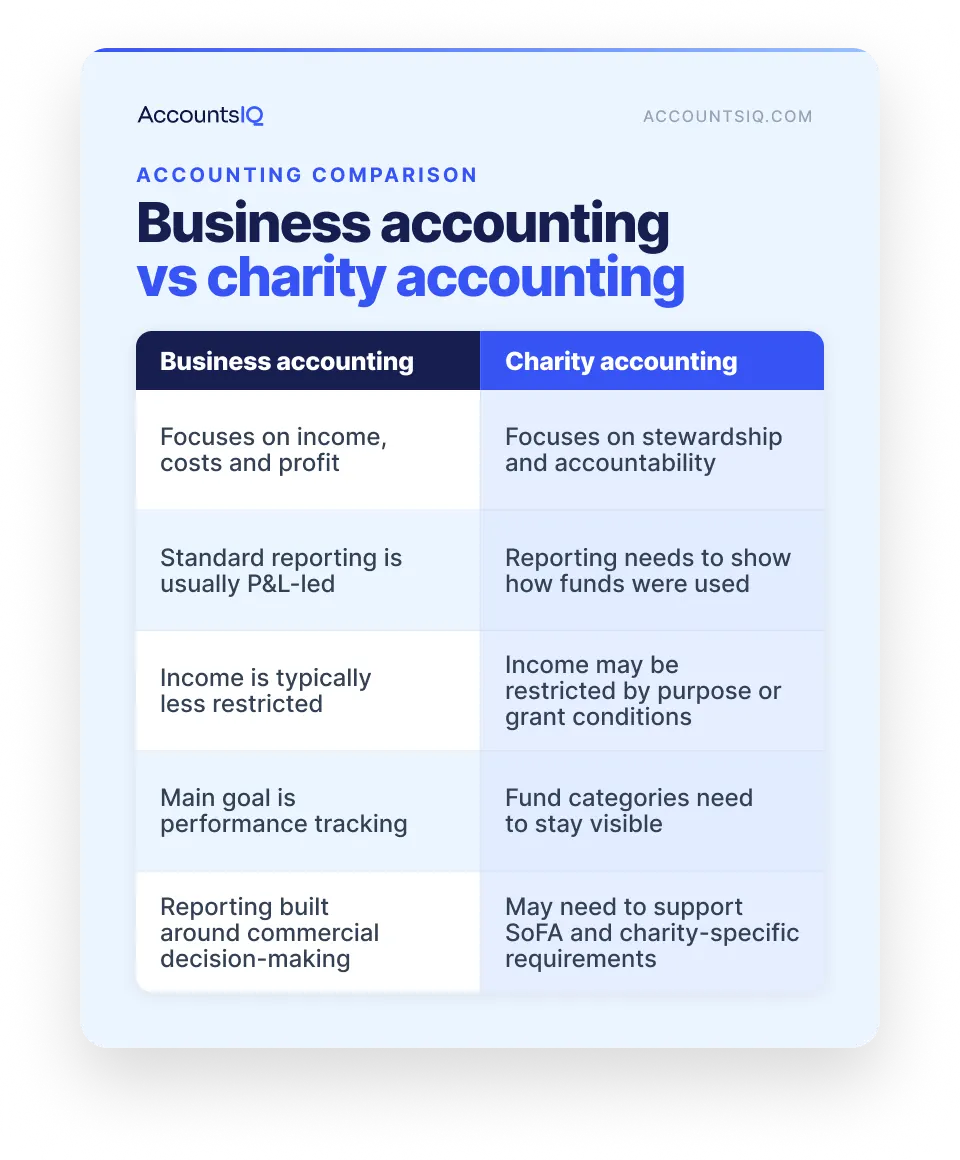
Business accounting is built around performance: income, costs, margins, and profit.
Charity accounting is built around stewardship. Finance teams need to show where money came from, what conditions came with it, how it was used, and whether the charity can evidence that clearly.
That difference affects what the accounting system needs to do.
The Charity Commission puts the reporting obligation plainly:
“Charities registered in England or Wales must send an annual return to the Charity Commission or report their income and spending every year.”
Charity income often carries conditions
Some charity income is tied to a specific purpose, programme, location or time period. The finance system needs to keep that context attached to the transaction.
Without it, the numbers may be correct, but the reporting trail becomes harder to prove.
Charity accounts need more than a profit and loss view
A standard profit and loss report shows income and expenditure.
Charity reporting often needs to show how resources were used, how reserves changed, and whether trustees have the right information to make decisions. That makes coding structure, fund categories and reporting dimensions more important than they might be in a simple commercial setup.
For charities registered in England and Wales, reporting requirements also increase with income.
Current Charity Commission guidance says charities with income over £25,000 need to provide accounts, a trustees’ annual report and, where required, an independent examiner’s report as part of the annual return process.
It also states that a full audit is needed where income is over £1 million, or where gross assets are over £3.26 million and income is over £250,000.
Fund categories need to stay visible
Restricted, unrestricted, and designated funds should not disappear into one general view.
Restricted funds are tied to a specific purpose. Unrestricted funds can generally be used at the charity’s discretion. Designated funds are unrestricted funds set aside by trustees for a chosen purpose.
If those categories are only rebuilt later in spreadsheets, reporting becomes slower and more exposed to error.
SORP and SoFA reporting add another layer
Charity accounts are prepared under charity-specific reporting rules. The Charities SORP describes itself as “application guidance for charity accounting”, and the SORP-making body says SORP 2026 applies to accounting periods starting on or after 1 January 2026. For accounting periods starting before that date, SORP 2019 still applies.
The key point for software selection: your system should make charity-style reporting easier to prepare, not something the finance team has to reconstruct at the end of each period.
Reporting requirements vary by structure, size, jurisdiction, and accounting period. Always check official guidance and speak to your accountant, auditor, or independent examiner.
What the best accounting software for charities should help you do
Once you’ve narrowed down the type of system you need, look at how it handles the day-to-day finance process.
The best charity accounting software should make the work easier to run, easier to explain, and easier to evidence.
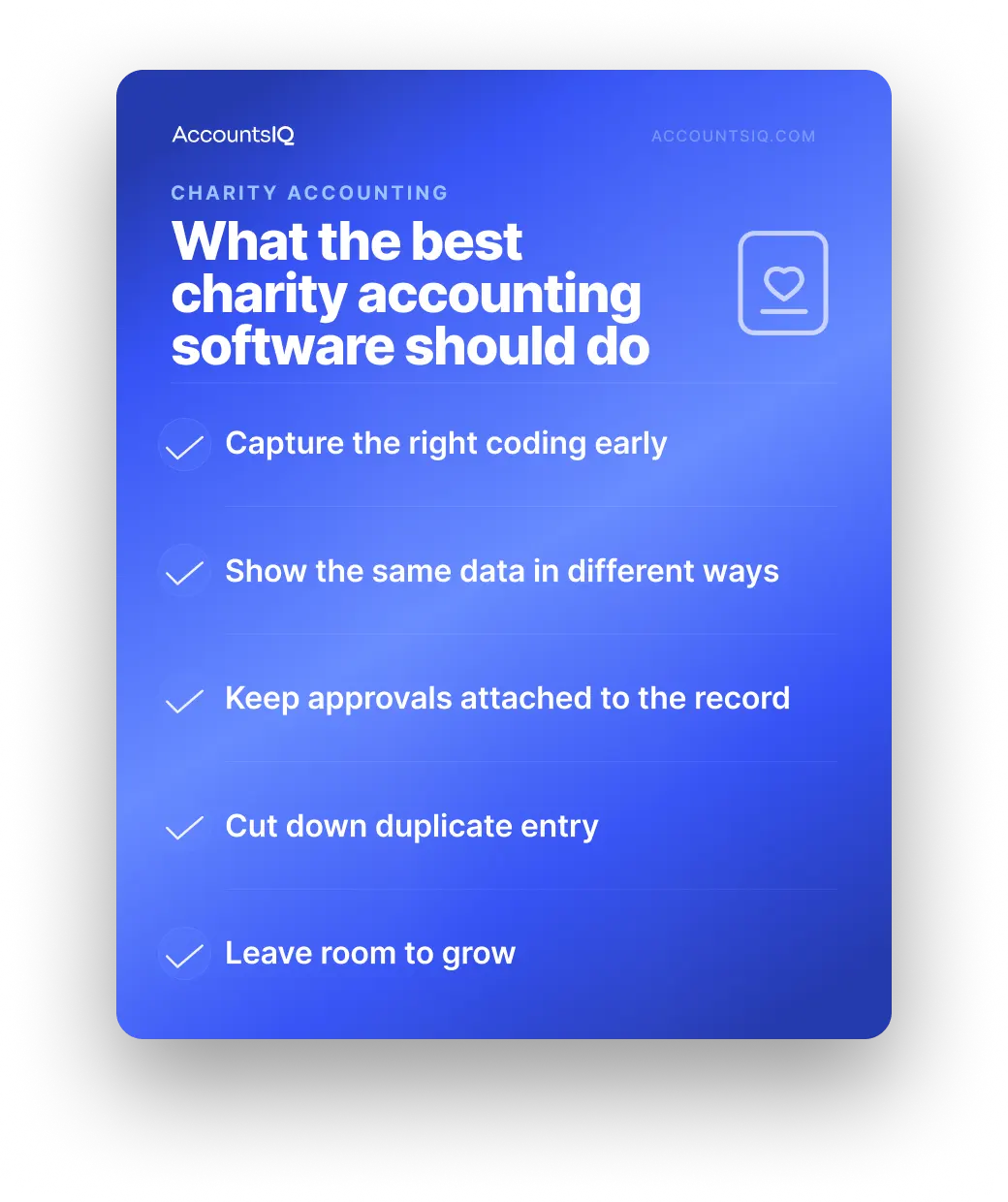
1. Capture the right coding early
Transactions should be coded correctly when they enter the system.
That includes the right fund, grant, project, department or location, depending on how your charity reports.
2. Show the same data in different ways
Trustees, funders, budget holders, and programme leads do not all need the same view.
Your software should let finance teams report from the same underlying data without rebuilding every report manually.
3. Keep approvals attached to the record
Approvals for expenses, invoices, payments, and journals should sit with the transaction.
Finance teams should be able to see who approved something, when, and against which budget or activity area.
4. Cut down duplicate entry
Your accounting system should work with the tools around it, such as expenses, payroll, CRM, donation platforms, and banking.
The point is to reduce rekeying, missing data, and manual checks.
5. Leave room to grow
A system that works for one programme, one site or one fund may not work when the charity adds more complexity.
Choose software that can support the next stage, whether that means more budget holders, more reporting views, larger grants, additional locations, or a group structure.
Signs your charity has outgrown its current accounting software
You may not need new software because your charity is bigger. You may need it because the finance process has become harder to control.
Common signs include:
- Fund balances are checked outside the accounting system
- Trustee packs take too long to prepare
- Grant reports rely on exports and manual adjustments
- Approvals happen across email or separate tools
- Budget holders cannot see up-to-date spend
- Reports by fund, project or department do not reconcile easily
- Month-end depends on one person’s manual process
- New programmes, sites or entities are stretching the system
- Finance spends more time building reports than using them
If several of these sound familiar, your accounting software may no longer match the way your charity works.
💡 Book a demo to see how AccountsIQ could support your charity finance team.
How to choose the best charity accounting software: a practical checklist
Don’t choose charity accounting software from a feature list alone.
Choose it by testing whether it can handle the work your finance team actually needs to do.
1. Use your real reports as the test
Take a recent board pack, funder report, management account pack, or year-end schedule into the buying process.
Then ask each vendor to show how their system would produce it.
2. Test real finance scenarios
A demo should show more than dashboards.
Ask vendors to walk through everyday charity finance tasks, such as a restricted grant, a budget-holder approval, a funder report, a transaction with supporting evidence, or a trustee report.
3. Check who needs access
List the people who need to use finance information: trustees, senior leaders, budget holders, programme leads, approvers, and external accountants.
Then check what each person can see, edit, approve, or export.
4. Understand the implementation
Ask how the system will be set up, what data needs to move, who configures reports, how users are trained, and what support is available after launch.
A new system should improve the process, not recreate the same manual work in a different place.
5. Ask better demo questions
Use questions that test practical fit:
- Can you show how a restricted grant would be set up and reported on?
- Can you show a transaction moving from entry to approval to reporting?
- Can different users see different dashboards or reports?
- How are documents stored against transactions?
- What happens when coding needs to be corrected?
- How easy is it to change reporting structures later?
- Which systems can it connect with, and what data moves between them?
- What does implementation involve?
FAQs: Best charity accounting software
What is the best accounting software for charities in the UK?
It depends on your finance setup.
Xero or Sage 50 may suit smaller charities with simple finances. ExpensePlus or Liberty Accounts may suit charities that need dedicated fund accounting, Gift Aid or SoFA-style reporting. AccountsIQ is the strongest fit for growing charities with more complex reporting, approvals or multi-entity needs.
Can charities use normal business accounting software?
Yes, if the finance process is simple.
Standard accounting software can handle basic bookkeeping. It becomes harder to rely on when a charity needs detailed fund tracking, grant reporting, approval trails, charity-specific reporting, or different views for trustees and budget holders.
What is fund accounting software for charities?
Fund accounting software helps charities track income and expenditure by fund.
This matters because restricted, unrestricted and designated funds need to stay separate in the accounts. The right system makes it easier to show how each pot of money was received, used and reported.
What is SORP-compliant accounting software?
It usually means software that supports charity accounts prepared under the relevant Charities SORP, including charity-style reporting such as the Statement of Financial Activities.
Software can support SORP reporting, but it doesn’t make the accounts compliant by itself. The Charities SORP describes itself as “application guidance for charity accounting”; SORP 2026 applies to accounting periods starting on or after 1 January 2026, and SORP 2019 applies before then.
Always confirm requirements with official guidance and your professional adviser.
Does charity accounting software need to support Gift Aid?
Only if Gift Aid is important to your charity’s income.
HMRC says eligible charities and community amateur sports clubs can claim back 25p every time an individual donates £1 through Gift Aid, provided the relevant conditions are met.
If you claim Gift Aid regularly, check whether the software can manage it directly or whether you will need a separate process.
When should a charity move from spreadsheets to charity accounting software?
When spreadsheets become essential to reporting, approvals, or reconciliations.
If your team depends on exports, manual adjustments, email approvals, or one person’s month-end knowledge, your accounting software may no longer fit the way the charity works.